Choosing between a 144Hz and a 240Hz monitor is one of those decisions that looks simple on paper but gets complicated fast. Both refresh rates sit well above the standard 60Hz, and both deliver smooth, responsive visuals — but they serve different purposes, different hardware setups, and different kinds of players. If you’re trying to figure out which one actually makes sense for your situation, this breakdown covers everything that matters.
| Feature | 144Hz | 240Hz |
|---|---|---|
| Frame interval | 6.94ms per frame | 4.17ms per frame |
| GPU requirement | Mid-range GPU (e.g. RTX 3060) | High-end GPU (e.g. RTX 4080+) |
| Perceived smoothness leap vs 60Hz | Very large | Moderate additional gain |
| Motion blur reduction | Good | Excellent |
| Input latency | Lower than 60Hz | Lower than 144Hz |
| Typical panel price range | $150 – $350 | $300 – $700+ |
| Resolution options | 1080p, 1440p, 4K | Mostly 1080p, some 1440p |
| Best for | Most gamers, content creators | Competitive FPS players |
| Noticeable difference from 144Hz | — | Subtle for most users |
| Adaptive sync (G-Sync/FreeSync) | Widely available | Available, fewer options |
What Actually Separates Them
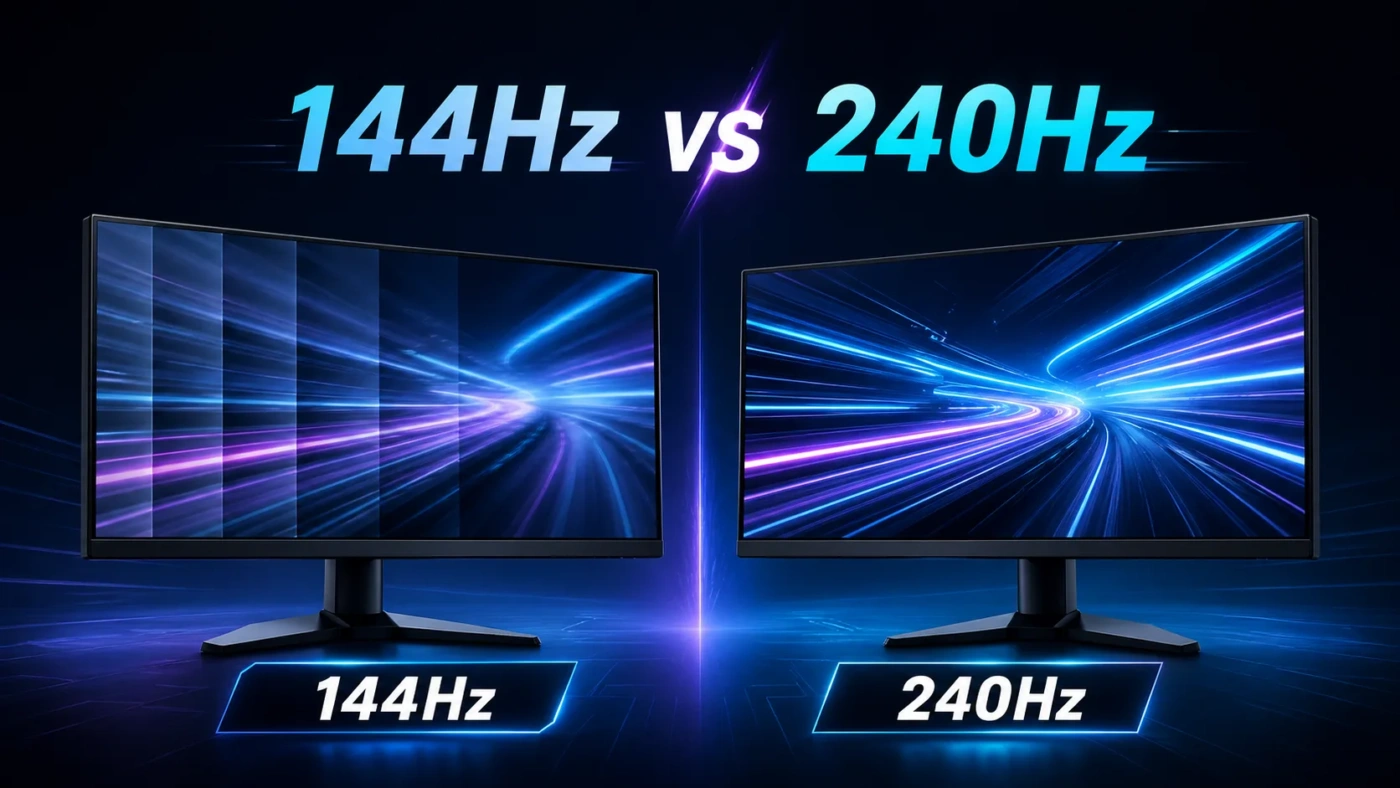
The math is straightforward: 144Hz means your monitor refreshes 144 times per second, while 240Hz does so 240 times. That translates to a frame interval of roughly 6.94ms versus 4.17ms. In practice, this difference affects two things most: how smooth fast motion looks, and how quickly what you do on your mouse or keyboard appears on screen (commonly called display latency or rendering pipeline delay).
Going from 60Hz to 144Hz is a dramatic shift — nearly everyone notices it immediately. Going from 144Hz to 240Hz is a real improvement, but it’s subtler. The human visual system does perceive the difference, especially in fast-paced scenarios with lots of movement, but it’s nowhere near the same magnitude of upgrade.
One thing that often gets overlooked: to benefit from 240Hz, your system needs to consistently push enough frames to feed the display. Running 130fps average on a 240Hz monitor gives you almost none of the advantage you paid for.
What Is 144Hz?
144Hz became the mainstream standard for gaming monitors around 2015 and remains the most popular refresh rate category today. At this speed, motion looks fluid, ghosting is greatly reduced compared to 60Hz panels, and response times on most 144Hz displays are fast enough (1ms–5ms GtG) to keep up.
What makes 144Hz attractive is the combination of accessibility and versatility. You can find 144Hz panels at 1080p, 1440p, and even 4K. That means you don’t have to sacrifice resolution for refresh rate. A mid-range GPU like an RTX 3060 or AMD RX 6700 XT can regularly hit 144+ fps in most modern games at 1080p or 1440p — making the pairing realistic without spending a fortune on your graphics card.
144Hz monitors also tend to have a wider range of panel types available (IPS, VA, TN), which means better color accuracy and viewing angles at this tier compared to the 240Hz segment, which skews heavily toward TN or fast IPS panels optimized for speed over color reproduction.
What Is 240Hz?
240Hz monitors were originally built for professional esports environments — players competing in games like Counter-Strike, Valorant, or Overwatch where every millisecond of reaction time matters. The reduced frame interval tightens the feedback loop between player input and what appears on screen, even if the difference over 144Hz is measured in single-digit milliseconds.
These panels prioritize speed above almost everything else. Most 240Hz monitors are 1080p because rendering 240+ fps at higher resolutions demands hardware that most gaming setups don’t have. Even at 1080p, you’ll need a powerful GPU — consistently hitting 240fps in demanding titles requires something like an RTX 4070 or above, paired with a fast CPU that doesn’t bottleneck the frame rate.
The motion clarity on a 240Hz panel in fast content is genuinely impressive. Fast-moving objects are sharper, the screen feels almost instantaneous, and flicker from motion blur is minimized to a degree that’s hard to describe without seeing it side by side. For people sensitive to motion, it can feel meaningfully different.
When 144Hz Is the Better Choice
144Hz makes more sense for the majority of gamers and general users. Specifically, consider it if:
- You play a variety of game genres — RPGs, open-world games, strategy, or single-player titles — where 240fps is neither achievable nor necessary.
- You care about resolution. At 1440p or 4K, 144Hz gives you far more panel options with better image quality.
- Your GPU sits in the mid-range tier and struggles to push 200+ fps in anything but lighter titles.
- You also use your monitor for content creation, design work, or general productivity, where color accuracy and panel quality matter more than raw speed.
- You’re budget-conscious. A quality 144Hz 1440p IPS monitor can be had for $200–$280, which is hard to beat for the overall experience.
The jump from 60Hz to 144Hz is one of the best single upgrades you can make to a PC setup. It’s immediately noticeable in almost every use case.
When 240Hz Is the Better Choice
240Hz earns its place in specific, well-defined situations:
- You play fast-paced, competitive multiplayer games (FPS or battle royale) at a high level and consistently achieve high frame rates.
- Your GPU can sustain 200fps+ in your primary games. Otherwise, you’re paying for headroom you’ll rarely use.
- You’re sensitive to motion and perceive a clear visual difference at this refresh rate — some people genuinely do, and it affects their aim and reaction time.
- You’re playing at 1080p and are fine keeping it there. Most 240Hz monitors don’t offer a great 1440p experience at competitive pricing.
- You compete seriously in games where even small advantages in display latency compound over hundreds of hours of play.
If you fall outside these categories, the premium you pay for 240Hz rarely translates into a proportional improvement in your experience.
The Biggest Misconceptions
Misconception 1: “240Hz always looks better than 144Hz.” Not quite. If your PC averages 100fps, a 240Hz monitor won’t look better than a 144Hz one — it might actually look worse if the panel sacrifices color quality for speed. Refresh rate only helps when frames are there to fill it.
Misconception 2: “The human eye can’t see past 60fps anyway.” This gets repeated constantly and it’s simply wrong. Research and direct testing have consistently shown that people perceive differences well above 60Hz, and some can discern changes up to and beyond 240Hz in controlled conditions.
Misconception 3: “240Hz is only about smoothness.” Smoothness is one part of it, but the bigger competitive argument for 240Hz is reduced system latency — the total time from input to what you see on screen is lower at higher refresh rates, even accounting for everything else staying constant.
Misconception 4: “Getting a 240Hz monitor will improve my aim.” It can help, but only as one variable in a complex system. Mouse, sensitivity, practice, and game sense all matter far more. 240Hz isn’t a shortcut to better performance — it removes a bottleneck for players who’ve already optimized everything else.
Which One Is Right for You
If you want a clean answer: 144Hz is the right choice for most people. It delivers an experience that’s dramatically better than 60Hz, works with a wide range of hardware, gives you resolution options, and doesn’t require a top-shelf GPU to get real value from. Whether you’re gaming, working, or doing both on the same screen, 144Hz holds up across all of it.
240Hz is the right choice if you’re serious about competitive gaming at a level where your hardware can reliably produce high frame rates, you’re playing 1080p, and you’ve already done everything else to optimize your setup. The gains are real — just narrower than the marketing often implies, and context-dependent.
One practical tip: if you’re on the fence and own a mid-to-high-end GPU, look at 165Hz or 180Hz monitors as a middle ground. Many 1440p IPS panels ship at these rates, split the difference in cost, and deliver excellent results without requiring the frame rate ceiling that 240Hz demands.
The decision ultimately comes down to what you play, how competitively you play it, and what your GPU can realistically sustain. Match your monitor to your actual hardware and habits — not to the highest number on the spec sheet.