For years, OLED was the undisputed answer whenever someone wanted the best picture quality money could buy. Then Mini-LED arrived — not as a gimmick, but as a genuinely capable alternative that challenges OLED in ways standard LCD never could. Now the choice between the two is actually difficult, and the right answer depends on things that specs alone don’t tell you.
- Why This Comparison Matters Now
- What Is Mini-LED?
- What Is OLED?
- When Mini-LED Is the Stronger Choice
- When OLED Is the Stronger Choice
- Misconceptions That Cloud the Decision
- Mini-LED Has Solved the Blooming Problem
- OLED Is Too Dim for HDR
- More Dimming Zones Always Means Better Picture
- OLED Burns In Quickly
- Making the Right Call for Your Setup
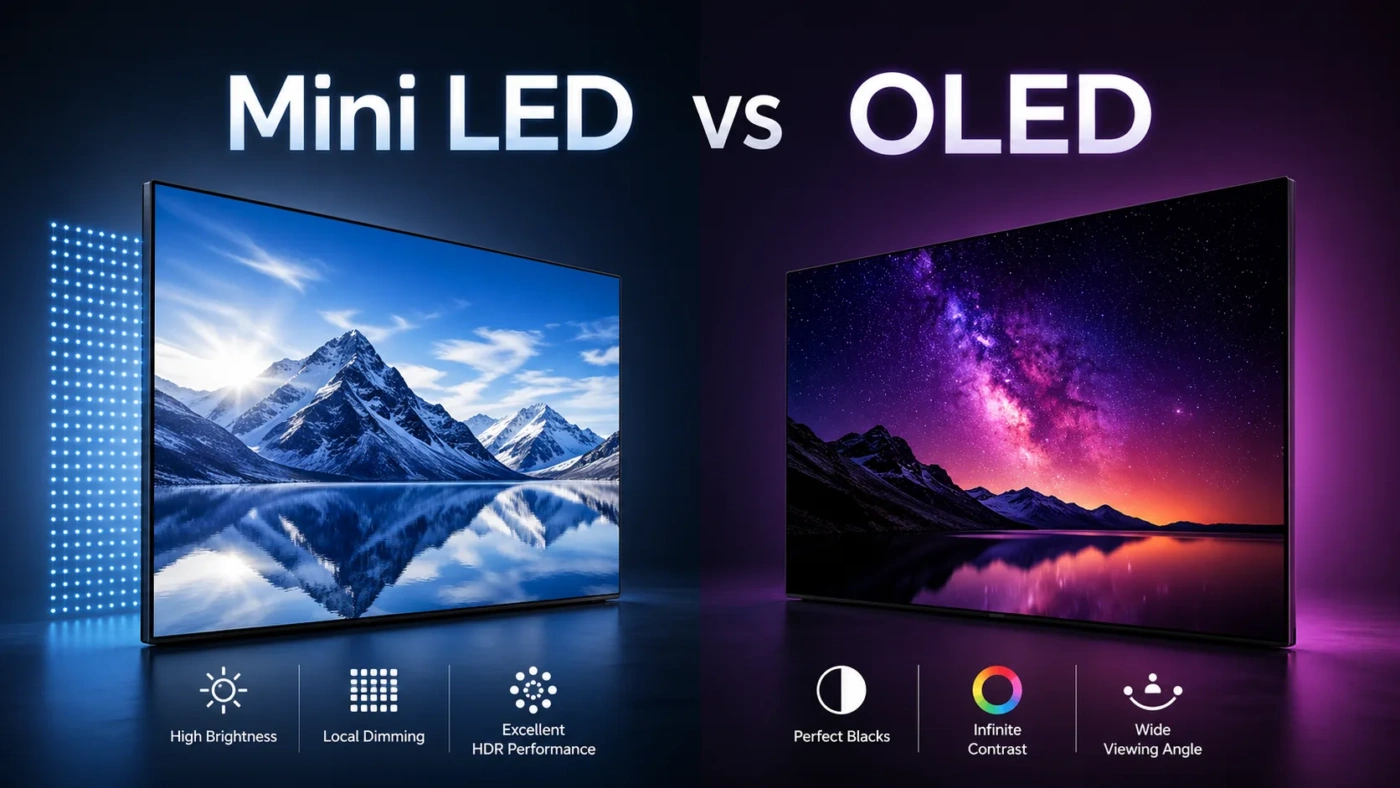
| Feature | Mini-LED | OLED |
|---|---|---|
| Panel Type | LCD with miniaturized LED backlight | Self-emissive organic pixel display |
| Backlight | Thousands of tiny LEDs in dimming zones | No backlight — each pixel emits its own light |
| Black Levels | Very dark, but not true black | Absolute black (pixel fully off) |
| Contrast Ratio | Very high (zone-based local dimming) | Infinite (pixel-level control) |
| Peak Brightness | 1,500 – 4,000+ nits | 800 – 2,000+ nits (highlight areas) |
| Sustained Brightness | Maintains high brightness across full screen | Dims on large bright areas (ABL active) |
| Blooming / Halo Effect | Present — varies by zone count and quality | None — pixel-level precision eliminates it |
| Response Time | 2–8 ms GtG | Under 1 ms |
| Viewing Angles | Good to very good (IPS substrate preferred) | Near-perfect from any angle |
| Burn-In Risk | None | Yes — with prolonged static content |
| Lifespan | 50,000–80,000 hours typical | 30,000–100,000 hours (varies by use) |
| Screen Sizes | 27 inches to 98+ inches | 42–97 inches (more limited range) |
| Price Range (65″ TV) | $700 – $2,500+ | $1,200 – $3,500+ |
| Best For | Bright rooms, sports, HDR highlights, longevity | Dark rooms, cinema, gaming, motion clarity |
Why This Comparison Matters Now
Mini-LED isn’t a minor refinement of LCD technology — it’s a structural rethink of how backlighting works. Traditional LED-LCD panels used a small number of dimming zones (sometimes fewer than 100) to control brightness across the screen. Mini-LED shrinks the individual LEDs dramatically, packing thousands of them into the same space and creating hundreds or even thousands of independent local dimming zones. The result is a level of contrast and precision that standard LCD could never approach.
OLED, meanwhile, operates on an entirely different principle: each pixel is its own light source and can be turned off completely. There are no zones, no blooming, no compromises around light bleed. What Mini-LED gains in brightness, OLED gains in precision. Understanding which advantage matters more in your specific situation is what separates a good purchase from an expensive regret.
What Is Mini-LED?
Mini-LED is a backlight technology, not a panel type on its own. It uses LEDs that are dramatically smaller than conventional ones — typically between 50 and 200 microns — which allows manufacturers to fit thousands of them behind an LCD panel. Those LEDs are grouped into local dimming zones, each of which can be brightened or dimmed independently based on the content being displayed.
The practical benefit is a much higher contrast ratio than standard LED-LCD, along with the ability to sustain extremely high peak brightness across large portions of the screen. A premium Mini-LED TV can hit 2,000–4,000 nits of full-screen sustained brightness — a figure that OLED cannot match due to its automatic brightness limiting (ABL) system, which dims the panel when large bright areas are detected.
Mini-LED panels are produced by virtually every major display manufacturer. LG’s QNED lineup, Samsung’s Neo QLED, Apple’s Liquid Retina XDR displays in the MacBook Pro and iPad Pro, and TCL’s high-end TV series all use Mini-LED backlighting. The technology pairs well with quantum dot color filters (which further improve color purity) and IPS or VA LCD substrates depending on whether viewing angle consistency or contrast is the priority.
The known limitation is blooming — the halo of light that appears around bright objects on dark backgrounds when adjacent dimming zones can’t shut off completely. High zone-count panels reduce this significantly (Apple’s XDR display has over 2,500 zones), but no Mini-LED panel eliminates it entirely. In dark, high-contrast scenes — a candle flame in a black room, a star field — a careful viewer will notice it. How much it bothers you depends on how critically you watch and what content you consume most.
What Is OLED?
OLED (Organic Light-Emitting Diode) panels generate light at the pixel level. Each of the millions of pixels in an OLED display contains organic compounds that emit light when current passes through them — and can stop emitting entirely when that current is removed. This means black pixels are genuinely, completely black. Not dark gray. Not “very dark with a faint glow.” Black.
The consequence of this architecture is an infinite contrast ratio. Bright highlights and absolute blacks can coexist in the same frame simultaneously, with no light leakage between them. This is what gives OLED its visual depth — the quality that makes a well-mastered film look almost three-dimensional on a good OLED panel in a controlled environment.
Two main OLED technologies appear in today’s premium displays. WOLED (White OLED with color filters), developed by LG Display and used in LG, Sony, Philips, and other TV brands, creates color by filtering white OLED light through RGB subpixels. QD-OLED, developed by Samsung Display, replaces the color filter with a quantum dot conversion layer — delivering a wider color gamut, higher peak brightness, and better saturation at high luminance levels. QD-OLED panels are used in Samsung’s S90/S95 TV lines and Sony’s Bravia XR A95L series.
Response times on OLED are effectively instantaneous — under 1 ms. This eliminates motion blur and ghosting in fast-moving content, which is one reason OLED has become the preferred panel type for serious gamers. Combined with support for variable refresh rate (VRR), HDMI 2.1, and high refresh rates (up to 144Hz on current TV panels), OLED gaming performance is genuinely excellent.
The two real concerns with OLED are burn-in and sustained brightness. Modern panels are far more resistant to burn-in than early OLED units, and the risk is low for typical mixed-content viewing. But for someone running a static UI at high brightness for 8–10 hours daily (news channels, certain game overlays, financial terminals), the concern is legitimate. On brightness, OLED’s ABL system automatically reduces luminance when large screen areas display bright content — protective for the panel, but noticeable when watching daytime content or scenes with a lot of white.
When Mini-LED Is the Stronger Choice
Mini-LED outperforms OLED in specific, well-defined situations where its backlight architecture’s strengths become the deciding factor:
- Bright living rooms and spaces with large windows or strong overhead lighting, where OLED’s contrast advantage is washed out by ambient light but Mini-LED’s sustained brightness keeps the image punchy and readable
- Sports and live event viewing, where wide bright scenes with fast motion benefit from high sustained luminance rather than deep blacks
- Daytime viewing of content with mostly bright, high-key imagery — documentaries, reality TV, news
- Environments where static content runs for long periods and burn-in caution is a practical concern
- Buyers who want a larger screen size at a lower price — Mini-LED offers 75–98 inch panels at prices where OLED isn’t yet available or practical
- Monitors and displays that sit at a fixed brightness for extended work sessions, where OLED’s ABL can be distracting
When OLED Is the Stronger Choice
OLED earns its price premium consistently in environments and use cases where its pixel-level precision changes the viewing experience in ways Mini-LED simply cannot replicate:
- Dedicated home theater rooms or any space where ambient light is controlled — dark-room contrast performance is where OLED’s advantage is most visible and most impactful
- Cinematic film and streaming content, where shadow detail, color gradation in dark scenes, and HDR precision matter
- Gaming — especially atmospheric, story-driven titles with dark environments — where the combination of true blacks, instant response time, and VRR support creates a genuinely different experience
- Competitive gaming where sub-millisecond response times and zero ghosting provide a measurable performance edge
- Laptop and monitor use where the display is viewed straight-on at close range and viewing angle consistency matters less than image quality
- Anyone who has compared the two technologies in a controlled environment and found OLED’s image quality worth the price difference
Misconceptions That Cloud the Decision
Mini-LED Has Solved the Blooming Problem
High zone-count Mini-LED has reduced blooming dramatically — a panel with 1,000+ dimming zones looks considerably cleaner than one with 100. But it hasn’t eliminated it. In the most demanding test scenes (bright text on a pure black background, single light source in total darkness), a careful viewer will still see a faint halo on even the best Mini-LED panels. OLED produces no such artifact. Whether that difference matters in everyday viewing depends entirely on your content and how analytically you watch.
OLED Is Too Dim for HDR
This was more accurate three or four years ago. Current QD-OLED panels reach 2,000+ nits on small highlight windows, and even standard WOLED panels have improved to 1,000–1,500 nits peak. In real-world HDR content — where highlights occupy a small portion of the frame — OLED’s brightness is more than sufficient, and its infinite contrast makes those highlights look more dramatic than they would on a higher-nit Mini-LED panel with elevated black levels. The nit count difference matters most in full-screen bright content, which is the minority of typical viewing.
More Dimming Zones Always Means Better Picture
Zone count matters, but it’s not the only variable. The size of each zone, the algorithm controlling transitions between zones, panel response time, and the quality of the ABL implementation all affect the final result. A well-tuned 500-zone Mini-LED panel can outperform a poorly tuned 1,000-zone competitor in real-world content. Zone count is a useful starting indicator, not a final verdict.
OLED Burns In Quickly
Burn-in on modern OLED panels requires sustained, specific conditions — the same static image at high brightness for thousands of cumulative hours. Varied content (streaming, gaming, mixed use) distributed over a display’s lifespan virtually never produces visible retention. The risk is real and worth knowing about; it is not inevitable for most users. OLED owners who watch normal mixed content for 4–6 hours daily have used their panels for five or more years without issue.
Making the Right Call for Your Setup
Go with Mini-LED if your room is bright and you can’t easily control ambient light, you watch a lot of sports or daytime programming, you want a very large screen at a price below OLED territory, or you run static content for long daily stretches and prefer not to think about burn-in management. At $700–$1,500 for a quality 65-inch Mini-LED TV, the value proposition is genuinely strong.
Go with OLED if you have meaningful control over your viewing environment, your primary content is films and immersive gaming, you sit at a normal viewing distance in front of the screen, and the quality of dark scenes matters to you. If budget allows for QD-OLED specifically — panels from Samsung or Sony in the $1,500–$2,500 range for 55–65 inches — you get the brightness improvements alongside OLED’s native contrast advantages.
For a monitor decision specifically: OLED monitors (particularly 27-inch and 32-inch QD-OLED models) have dropped to $400–$900 and offer a genuinely different visual experience from Mini-LED monitors in the same range. If your work involves dark interfaces, gaming, or content creation, the OLED difference is noticeable every day. If your work is mostly bright productivity apps and document editing, a well-made Mini-LED monitor is more practical and easier to use at sustained brightness levels.
Neither technology is the wrong answer when matched to the right environment. The mistake is choosing based on specifications in isolation rather than how the display actually fits the space and habits it’s going into.