If you’ve ever watched a fast-paced game running on a 144Hz display after years on a 60Hz monitor, the difference is hard to unsee. Everything moves more fluidly, mouse movements feel tighter, and the image just looks more alive. But does that mean 60Hz is obsolete? Not quite — and the answer depends heavily on what you actually do with your screen.
| Feature | 60Hz | 144Hz |
|---|---|---|
| Frames per second displayed | Up to 60 FPS | Up to 144 FPS |
| Frame interval | ~16.67 ms per frame | ~6.94 ms per frame |
| Input lag (typical) | 55–75 ms (full-screen) | 30–45 ms (full-screen) |
| Motion blur | More noticeable | Significantly reduced |
| Screen tearing tendency | Higher | Lower |
| GPU requirement | Low to mid-range | Mid to high-range recommended |
| Typical price range | $80–$200 | $130–$400+ |
| Best for | Office work, casual use, content creation | Gaming, fast-paced content, competitive play |
| Panel options | IPS, VA, TN widely available | TN most common; IPS/VA available at higher cost |
| Visible upgrade from 60Hz? | — | Yes, immediately noticeable |
What Actually Sets Them Apart
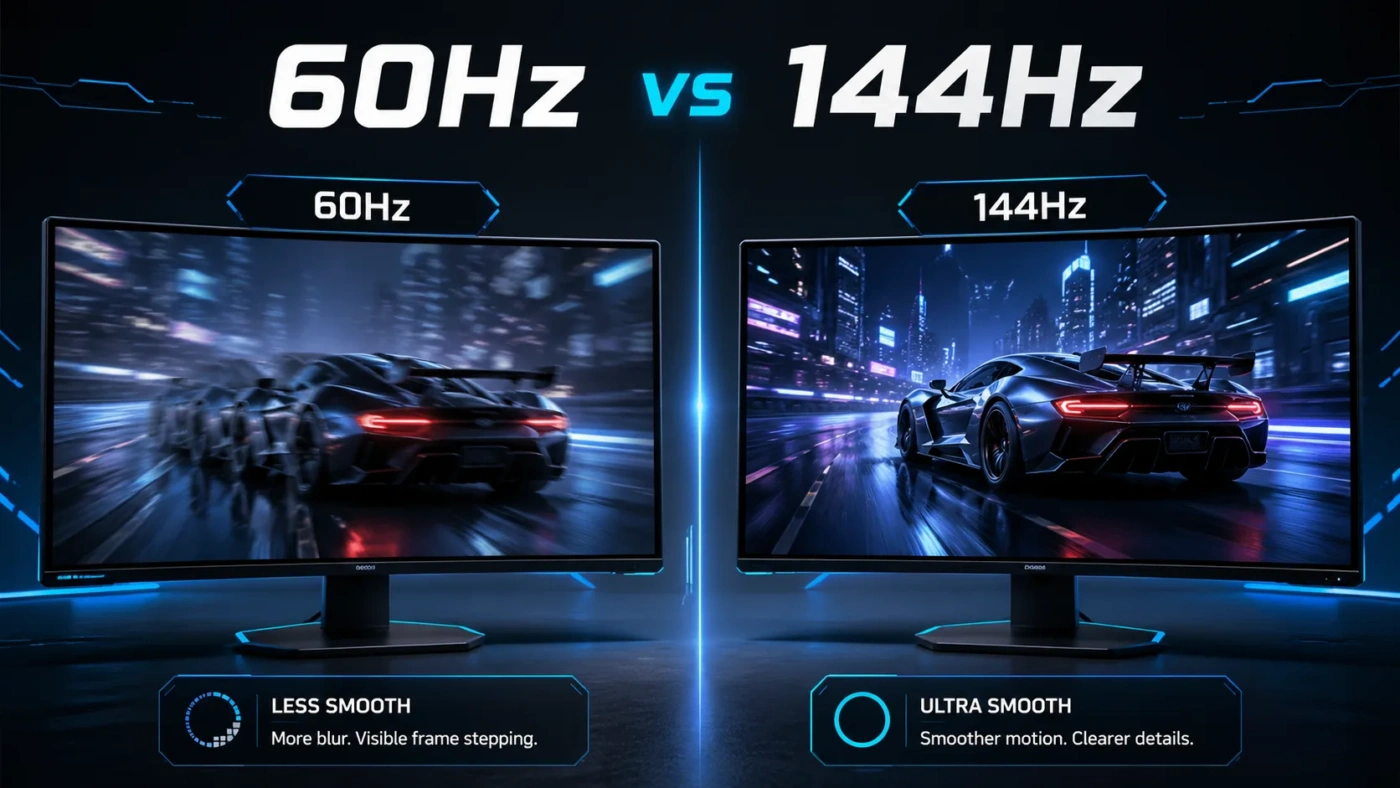
The number in “60Hz” and “144Hz” refers to how many times per second the monitor redraws the image on screen. At 60Hz, you get a new frame every 16.67 milliseconds. At 144Hz, that drops to around 6.94 milliseconds. That gap sounds technical, but you feel it the moment your cursor moves or an object flies across the screen.
The practical effect shows up in three main areas: motion clarity, input responsiveness, and screen tearing. On a 60Hz panel, fast-moving objects — a soldier sprinting across a map, a racing car drifting through a corner — produce more visible blur because the image lingers longer before the next frame replaces it. On a 144Hz display, each frame disappears nearly twice as fast, so motion stays sharper. It’s not magic; it’s physics.
Input lag is the other side of the coin. A 60Hz setup in full-screen mode typically carries 55–75 ms of end-to-end latency from input to display. A 144Hz setup cuts that down to roughly 30–45 ms. In most productivity tasks that difference is invisible. In a competitive shooter, it’s the margin between a hit registration and a miss.
What Is a 60Hz Monitor?
A 60Hz monitor refreshes its display 60 times every second. For most of the past two decades, this was the universal standard — not because 60Hz is special, but because it was the point where broadcast video, film, and everyday content all converged comfortably. Movies run at 24 FPS, standard streaming at 30 FPS, most web content at 60 FPS at most. A 60Hz panel handles all of that without any wasted headroom.
These displays span a wide range of panel technologies. IPS panels at 60Hz offer excellent color accuracy and wide viewing angles, making them popular among photographers, video editors, and graphic designers. VA panels at 60Hz deliver strong contrast ratios, which helps in dark-room setups. The 60Hz ceiling simply isn’t a limitation for those workflows — no photo edit benefits from a faster refresh rate, and no spreadsheet row becomes easier to read at 144Hz.
One area where 60Hz still makes sense: 4K resolution monitors with color-critical use cases. A 4K 60Hz IPS panel can offer genuinely excellent color depth, wide gamuts (like DCI-P3 or Adobe RGB coverage), and precise calibration — things that competitive gaming monitors often trade away in favor of speed.
What Is a 144Hz Monitor?
A 144Hz monitor refreshes 144 times per second — more than twice the rate of a standard 60Hz display. When paired with a GPU that can actually push that many frames, the visual experience changes noticeably. Animations look smoother, cursor movement feels more direct, and fast-moving content loses much of its blur.
The technology became mainstream in the gaming monitor market around 2013–2015, initially dominated by TN (twisted nematic) panels because of their fast pixel response times. Over time, IPS and VA panels at 144Hz became accessible at reasonable prices, giving buyers both speed and better color quality. Today, 144Hz is effectively the baseline for any monitor marketed as a gaming display.
One thing worth understanding: a 144Hz monitor only shows you 144 frames per second if your GPU is actually rendering that many. If your system is pushing 80 FPS in a demanding game, you’ll see 80 FPS on a 144Hz display — not 144. The monitor won’t manufacture extra frames. However, even at lower frame rates, the display still tends to feel more responsive than a 60Hz panel due to how adaptive sync technologies like G-Sync and FreeSync interact with higher-refresh panels.
When to Choose 60Hz
Go with 60Hz if your primary uses are office work, video editing, photo editing, or casual browsing. These tasks don’t generate content faster than 60 frames per second, so a higher refresh rate would sit idle. The money saved by choosing a well-made 60Hz IPS panel can instead go toward better resolution (1440p or 4K), wider color gamut coverage, or a larger screen — all of which matter considerably more to a Lightroom or Premiere Pro user.
Also consider 60Hz if your GPU is mid-range or budget-tier. Running a 144Hz monitor with a GPU that tops out at 50–70 FPS in your games delivers no real advantage. You’d be paying a premium for headroom your hardware can’t reach. In that scenario, a 60Hz 1080p or 1440p display with a quality IPS panel is often the smarter buy.
Slow-paced and turn-based games — strategy titles, RPGs, simulation games — run just fine at 60Hz. The gameplay isn’t time-sensitive enough for the extra frames to add meaningful value. Same goes for anyone who mostly watches movies or streams video content, where the source material is 24–60 FPS regardless of what your monitor can handle.
When to Choose 144Hz
If you play any fast-paced games — first-person shooters, battle royale titles, fighting games, racing simulators — 144Hz is worth the step up. The combination of lower input lag and reduced motion blur genuinely changes how the game feels to play, not just how it looks. Competitive titles like Counter-Strike 2, Valorant, Apex Legends, or Overwatch 2 are designed with high frame rates in mind, and the players who benefit most from a 144Hz display are exactly those playing them regularly.
144Hz also makes sense if your GPU can consistently reach 100+ FPS in the games you play most. The general rule: your in-game frame rate should be in the same ballpark as your refresh rate to get the most out of it. If you’re hitting 120–144 FPS on a mid-range card in your favorite games, the monitor becomes the limiting factor — and upgrading it unlocks what your hardware is already capable of.
People who experience motion sickness in games or find 60Hz visually fatiguing after long sessions often report that 144Hz helps. The reduced flicker and smoother motion reduce eye strain for some users over extended play sessions. It’s not universal, but it’s a real factor worth considering.
Common Misconceptions
The biggest one: “Any 144Hz monitor is better than any 60Hz monitor.” That’s not true. A cheap 144Hz TN panel with poor color accuracy, weak contrast, and mediocre build quality can be a worse overall purchase than a well-made 60Hz IPS display — depending entirely on how you use it. Refresh rate is one spec among many, not a ranking of overall quality.
Another misconception: “You need to hit exactly 144 FPS to benefit from 144Hz.” Not quite. Even running at 80–100 FPS on a 144Hz display tends to feel smoother than the same frame rate on a 60Hz display, partly because of how adaptive sync reduces frame-time variance. The benefit scales with frame rate, but it doesn’t disappear the moment you drop below 144.
And a third: “60Hz is fine for everything except gaming.” That’s mostly true — but not absolute. Fast-scrolling through long documents, UI animations in creative software, and even everyday desktop use feel perceptibly smoother on a high-refresh display once you’ve adapted to it. It’s a subtle thing, but it exists.
Which One Is Right for You
Here’s a clean way to think about it:
- You game competitively or regularly play fast-paced titles → 144Hz
- Your GPU can hit 100+ FPS in your most-played games → 144Hz
- You primarily edit photos, video, or do design work → 60Hz (prioritize panel quality and color accuracy instead)
- Your budget GPU struggles to reach 60 FPS in modern games → 60Hz (or upgrade the GPU first)
- You split time between casual gaming and creative work → consider a 144Hz IPS panel that covers both reasonably well
- You want 4K resolution on a limited budget → 60Hz 4K is more accessible and still looks stunning for the right use cases
The price gap between 60Hz and 144Hz has narrowed enough that the decision is less about budget and more about what you actually need from a display. A solid 1080p or 1440p 144Hz IPS monitor now sits comfortably in the $150–$250 range — a reasonable spend for anyone who games regularly. If your screen time is mostly spreadsheets and YouTube, that extra spend is better redirected toward resolution, panel quality, or ergonomics.
Neither refresh rate is objectively superior in every context. One is optimized for speed and responsiveness; the other for image quality, color fidelity, and resolution headroom. Match the monitor to what you actually do, not to what sounds more impressive on paper.