Choosing between a router and a modem can feel confusing because many homes now use one box that does both jobs. The simple answer is this: a modem connects your home to your internet provider, while a router shares that connection with your phones, laptops, TVs, consoles, and smart devices. For most homes, the real question is not “router or modem?” but “which part of my internet setup needs replacing or upgrading?”
- Router vs Modem: The Plain Difference
- What Is a Router?
- How a Router Affects Real Use
- What Is a Modem?
- How a Modem Affects Real Use
- Router vs Modem: Technical Differences That Matter
- What About a Modem-Router Combo?
- When a Combo Device Makes Sense
- When Separate Devices Make More Sense
- Performance Comparison: Which One Makes Internet Feel Faster?
- Price and Value: Where Your Money Usually Goes Further
- When Should You Choose a Router?
- When Should You Choose a Modem?
- Router vs Modem for Gaming, Streaming, and Work
- Security Differences Between a Router and a Modem
- Common Misunderstandings About Routers and Modems
- “A Modem Gives Me Wi-Fi”
- “A Better Router Always Makes Internet Faster”
- “A Better Modem Fixes Weak Wi-Fi”
- “One Box Is Always Worse Than Two”
- “Fiber Always Uses a Normal Modem”
- How to Decide What You Actually Need
- Router vs Modem: Which Should You Choose?
| Feature | Router | Modem |
|---|---|---|
| Main Job | Creates and manages your home network | Connects your home to your internet service provider |
| Internet Access | Shares internet with multiple devices after receiving it from a modem | Brings the internet connection into your home |
| Wi-Fi | Usually provides Wi-Fi, unless it is a wired-only router | Usually does not provide Wi-Fi unless it is a modem-router combo |
| Device Connections | Connects phones, laptops, smart TVs, consoles, and smart home devices | Usually connects to one router or one computer through Ethernet |
| Network Management | Handles local IP addresses, device traffic, firewall rules, and often parental controls | Handles signal conversion between the provider line and your home network |
| Performance Impact | Affects Wi-Fi range, wireless speed, latency, device handling, and coverage | Affects whether your plan speed can enter the home correctly |
| Common Upgrade Reason | Poor Wi-Fi range, slow wireless speeds, too many connected devices, weak coverage | Old cable/DSL/fiber equipment, plan speed not fully supported, rental fee replacement |
| Typical Price Range | About $50–$300 for many home routers; mesh kits may cost more | About $60–$250 for many cable modems, depending on speed and standard |
| Best For | Improving Wi-Fi, coverage, device control, and home network features | Making sure your internet service can enter your home at the right speed |
Router vs Modem: The Plain Difference
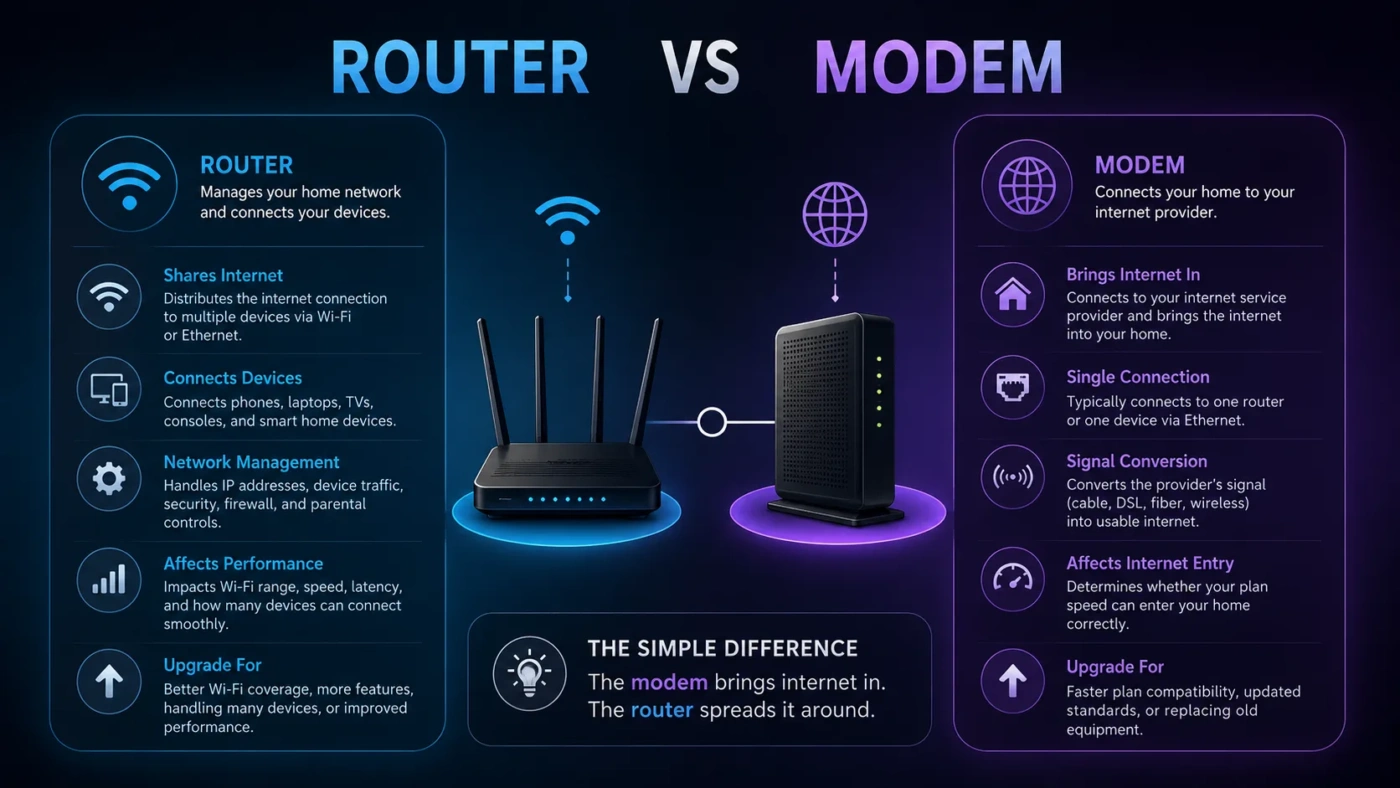
A modem is the doorway between your home and your internet provider. It receives the internet signal from cable, DSL, fiber equipment, fixed wireless, or another provider line, then makes that connection usable inside your home.
A router is the traffic manager inside your home. It takes the internet connection from the modem and sends it to your devices through Wi-Fi or Ethernet. It also helps devices talk to each other on your local network, such as a laptop sending a file to a printer.
Here is the easiest way to think about it: the modem brings internet in; the router spreads it around.
What Is a Router?
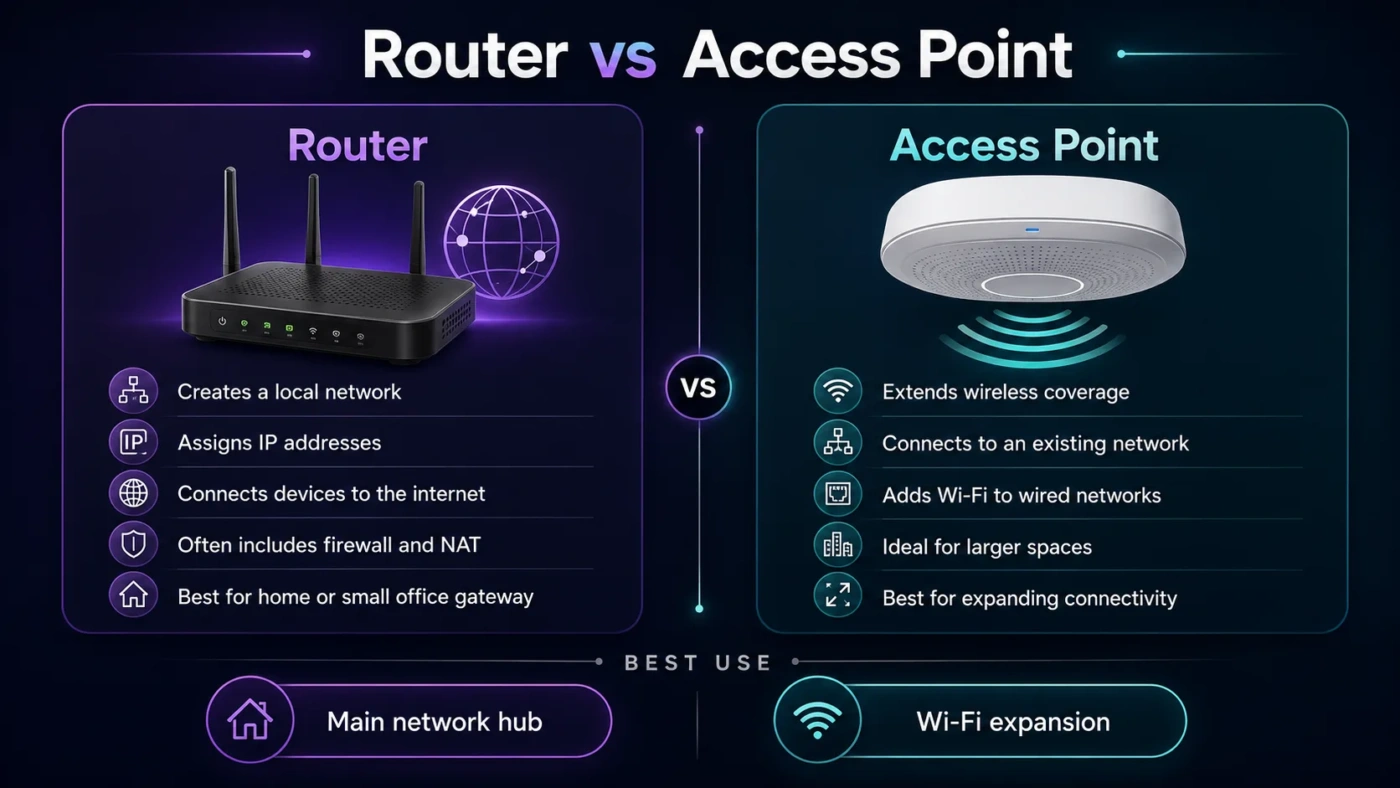
A router is a networking device that connects multiple devices to one home network. In most homes, the router also works as a wireless access point, which means it creates the Wi-Fi network name you see on your phone or laptop.
A home router commonly handles:
- Wi-Fi network creation through an SSID
- Ethernet connections for wired devices
- Local IP address assignment through DHCP
- Network traffic routing between devices
- Basic firewall protection
- Guest network options
- Parental controls or device scheduling on some models
- Mesh coverage support on compatible systems
If your internet works well next to the modem but feels weak in bedrooms, upstairs rooms, or corners of the house, the router is often the part to inspect first. Poor Wi-Fi coverage is usually a router, placement, interference, or mesh coverage issue rather than a modem issue.
How a Router Affects Real Use
A better router can improve the experience of browsing, video calls, gaming, smart TV streaming, and smart home connections. It does not magically make your internet plan faster than what you pay for, but it can help you use that plan more effectively across the home.
For example, a 500 Mbps internet plan will not feel like 500 Mbps on a weak old router placed behind a TV cabinet. The modem may be receiving the plan correctly, but the router may be limiting Wi-Fi speed, stability, and range.
What Is a Modem?
A modem is the device that connects your home to your internet service provider. The exact type depends on your connection. Cable internet usually uses a cable modem. DSL uses a DSL modem. Fiber service may use an ONT instead of a traditional modem, though many people still casually call the provider box a modem.
A modem’s main job is to translate the provider’s incoming signal into a connection your home network can use. Without a modem or provider gateway, a regular router usually has no internet connection to share.
A modem commonly connects to:
- A coaxial cable for cable internet
- A phone line for DSL internet
- A fiber terminal or ONT for fiber service
- A provider gateway for fixed wireless or 5G home internet
Most standalone modems have one Ethernet port. That port usually connects to the router’s WAN or internet port. From there, the router distributes the connection to the rest of your devices.
How a Modem Affects Real Use
A modem matters most when your internet plan speed, provider compatibility, or connection type changes. If your modem is too old for your cable plan, it may not support the speed you are paying for. If it is not approved by your provider, it may not activate correctly.
A modem rarely fixes weak Wi-Fi by itself. If your Wi-Fi signal drops in one room but a wired connection near the router is fine, replacing only the modem may not solve the real problem.
Router vs Modem: Technical Differences That Matter
The router and modem sit next to each other in many homes, but they work on different parts of the connection.
| Technical Area | Router | Modem |
|---|---|---|
| Network Side | Works mainly inside your local home network | Works between your home and the provider network |
| Common Ports | WAN port, LAN Ethernet ports, sometimes USB | Provider input port plus Ethernet output |
| Wireless Features | Wi-Fi 5, Wi-Fi 6, Wi-Fi 6E, Wi-Fi 7 on newer models | No Wi-Fi unless combined with a router |
| Traffic Control | Routes traffic, assigns local IPs, may support QoS | Passes the provider connection to the home network |
| Security Settings | Wi-Fi password, encryption, guest network, firewall, firmware updates | Provider activation, signal status, limited user settings on many models |
| Common Standard | Wi-Fi standards and Ethernet speeds matter most | DOCSIS version, DSL type, fiber/ONT support, or provider compatibility matter most |
If you care about Wi-Fi range, device capacity, mesh networking, gaming latency, or smart home stability, look closely at the router. If you care about whether your home can receive the plan speed from the provider, look closely at the modem.
What About a Modem-Router Combo?
A modem-router combo, often called a gateway, combines both devices in one box. Many internet providers give customers a gateway because it is simple: one power cable, one device, one app or admin panel, and fewer setup steps.
A combo device can be a good fit if you want easy setup and do not want to manage separate hardware. It may also be the only realistic option for some fiber, 5G home internet, or provider-managed plans.
The tradeoff is control. Separate devices usually make upgrades easier. You can keep a working modem and replace only the router when you want better Wi-Fi. Or you can keep a good router and replace the modem when you move to a faster cable plan.
When a Combo Device Makes Sense
- You want the simplest setup possible.
- You do not want to compare modem compatibility lists.
- Your provider includes the gateway without a rental fee.
- You live in a small apartment or simple home layout.
- You do not need advanced router settings.
When Separate Devices Make More Sense
- You want stronger Wi-Fi coverage or a mesh system.
- You want more control over security and network settings.
- You want to reduce monthly equipment rental fees, where allowed.
- You upgrade your router more often than your modem.
- You want easier troubleshooting because each device has a clear job.
Performance Comparison: Which One Makes Internet Feel Faster?
A router and a modem can both affect performance, but they affect different parts of the experience.
A modem affects the connection entering your home. If it cannot support your plan speed, the bottleneck starts before Wi-Fi even matters. This is common when someone upgrades to a faster cable plan but keeps an older modem.
A router affects how that connection behaves inside your home. It can affect Wi-Fi speed, range, stability, latency, and how well the network handles many devices at once.
| Problem | More Likely Router Issue | More Likely Modem Issue |
|---|---|---|
| Weak Wi-Fi in Some Rooms | Yes | Usually no |
| Slow Speed on Every Device, Even Wired | Possible | Possible |
| Internet Drops Completely | Possible | Possible |
| Gaming Lag on Wi-Fi Only | Yes | Less likely |
| Provider Says Equipment Is Outdated | Sometimes | Often |
| Smart TV Buffers Far from the Router | Yes | Usually no |
| Plan Speed Is Not Supported by Hardware | Possible | Often |
Before buying anything, test with a wired Ethernet connection if possible. If wired speed near the router is good but Wi-Fi is poor, your router, router placement, or mesh coverage is probably the better upgrade target.
Price and Value: Where Your Money Usually Goes Further
For many homes, a router upgrade gives the most noticeable daily improvement because people mostly use Wi-Fi. Better coverage, fewer dead zones, stronger device handling, and newer wireless standards can make the network feel smoother.
A modem upgrade gives value when your current modem is outdated, rented, incompatible, or unable to support your internet plan. It is less exciting, but it can remove a speed limit at the entry point.
| Buying Situation | Better First Upgrade | Why |
|---|---|---|
| Wi-Fi Is Weak in Several Rooms | Router or mesh router | Coverage is usually controlled by the router system, not the modem. |
| You Pay a Monthly Equipment Rental Fee | Modem, router, or both | Buying compatible equipment may save money over time. |
| You Upgraded to a Faster Cable Plan | Modem first, then router if needed | The modem must support the plan speed before the router can share it well. |
| You Have Many Smart Devices | Router | A stronger router can manage more wireless clients and local traffic. |
| You Want Simple Setup | Provider gateway | One device is easier to install and support. |
As a rough buying guide, many home routers cost about $50 to $300, while mesh router kits can cost more. Many cable modems cost about $60 to $250, depending on the speed tier and supported standard. Prices change often, so treat those numbers as a planning range rather than a fixed rule.
When Should You Choose a Router?
Choose or upgrade a router when your main problem is inside the home network. This is especially true when the internet connection works, but Wi-Fi feels poor, uneven, or overloaded.
A router is the better choice when:
- Your Wi-Fi signal is weak in bedrooms, offices, upstairs rooms, or outdoor areas.
- You have many connected devices and the network feels crowded.
- Your video calls freeze even though your plan speed is good.
- You want a guest network for visitors.
- You want better parental controls or device management.
- You want mesh Wi-Fi for a larger home.
- You want newer Wi-Fi features, such as Wi-Fi 6, Wi-Fi 6E, or Wi-Fi 7.
- You want better wired options for gaming PCs, consoles, or office equipment.
A router is also the better upgrade if your modem is already compatible with your plan and your wired speed tests look healthy. In that case, replacing the modem may not improve the problem you actually feel.
When Should You Choose a Modem?
Choose or upgrade a modem when the provider connection itself needs attention. This is less about Wi-Fi comfort and more about whether your internet service can enter the home correctly.
A modem is the better choice when:
- Your current modem does not support your internet plan speed.
- Your provider says your modem is no longer supported.
- You want to stop renting a modem, and your provider allows customer-owned equipment.
- You are moving from one internet type to another, such as DSL to cable or cable to fiber.
- Your modem has frequent signal problems confirmed by your provider.
- Your current equipment is a very old gateway and you want a cleaner separate-device setup.
Before buying a modem, check provider compatibility. This matters more for modems than routers because the modem must be activated on the provider’s network. A great modem on paper is not helpful if your provider will not support it.
Router vs Modem for Gaming, Streaming, and Work
For gaming, the router usually affects the day-to-day experience more. Latency, Wi-Fi stability, Ethernet ports, device priority settings, and congestion handling all sit closer to the router side. A wired Ethernet connection from the router to a console or gaming PC is often better than relying on Wi-Fi.
For streaming, the answer depends on the problem. If your plan is too slow for multiple 4K streams, neither device can create extra plan speed. If the plan is fine but the TV buffers in one room, the router or mesh coverage is usually the better place to look.
For remote work, the router is often the more practical upgrade. Video meetings depend on stable Wi-Fi, good placement, low interference, and enough bandwidth for other household devices. A modem upgrade helps only when the provider connection or plan compatibility is the weak point.
| Use Case | Focus on Router | Focus on Modem |
|---|---|---|
| Online Gaming | Wi-Fi quality, Ethernet, latency, device priority | Plan support and stable provider signal |
| 4K Streaming | Coverage near smart TVs and streaming boxes | Enough plan speed entering the home |
| Remote Work | Stable Wi-Fi, low dropouts, good room coverage | Reliable provider connection |
| Smart Home Devices | Device capacity and coverage | Usually less important unless the connection drops fully |
Security Differences Between a Router and a Modem
The router is usually where home users make the most security changes. It controls the Wi-Fi name, Wi-Fi password, guest network, encryption type, administrator login, and firmware updates.
For a safer home network, the router should use a strong administrator password, a strong Wi-Fi password, and modern encryption such as WPA2-AES or WPA3 when available. It is also wise to keep firmware updated and avoid using personal details in the Wi-Fi name.
A modem has fewer user-facing security settings in many homes. Provider-managed gateways may include more settings, but on a separate-device setup, the router is usually the main place where you manage everyday network security.
Common Misunderstandings About Routers and Modems
“A Modem Gives Me Wi-Fi”
A standalone modem usually does not create Wi-Fi. If your “modem” has Wi-Fi, it is probably a gateway or modem-router combo. Many people call the whole provider box a modem, even when it also includes router features.
“A Better Router Always Makes Internet Faster”
A better router can improve Wi-Fi speed and stability, but it cannot exceed your internet plan. If you pay for 300 Mbps, a $400 router will not turn that into a 1 Gbps plan. It can, however, help more of that speed reach your devices more reliably.
“A Better Modem Fixes Weak Wi-Fi”
Usually not. Weak Wi-Fi is more often about router quality, router placement, wall materials, distance, interference, or the need for mesh coverage.
“One Box Is Always Worse Than Two”
Not always. A modem-router combo can be perfectly fine for small homes, simple needs, or users who prefer easy setup. Separate devices are better when you want control, upgrade flexibility, or stronger Wi-Fi options.
“Fiber Always Uses a Normal Modem”
Fiber internet often uses an ONT, which converts the fiber connection for home networking. Depending on the provider setup, you may connect your own router to the ONT or use the provider’s gateway.
How to Decide What You Actually Need
Use the problem you feel every day. That is more reliable than buying based on device names.
- Buy or upgrade the router if Wi-Fi range, wireless speed, dead zones, device overload, or home coverage is the issue.
- Buy or upgrade the modem if your provider connection, plan compatibility, old cable modem, or monthly modem rental is the issue.
- Use a gateway if you want the easiest setup and do not need advanced control.
- Use separate devices if you want easier upgrades, stronger Wi-Fi choices, or better troubleshooting.
If you are not sure, run two simple checks. First, test your internet with a wired Ethernet connection near the router. Second, compare that result with Wi-Fi speed in the rooms where you usually use the internet. A large drop on Wi-Fi points toward the router side. Slow wired speed may point toward the modem, provider line, router WAN/LAN limit, or the internet plan itself.
Router vs Modem: Which Should You Choose?
For most people, the best answer is: you need both functions, but you may not need two separate boxes. A modem gets the internet into your home. A router makes it useful across your home.
Choose a router if your goal is better Wi-Fi, wider coverage, smoother streaming, more stable video calls, better gaming over Ethernet, guest network control, or support for many devices.
Choose a modem if your goal is provider compatibility, full plan speed support, replacing outdated equipment, or reducing rental fees where customer-owned modems are supported.
Choose a modem-router combo if you want fewer devices, easier setup, and simple provider support. Choose separate modem and router devices if you want more control and a cleaner upgrade path.
The clearest decision is this: upgrade the modem when the internet entering your home is the limit; upgrade the router when the internet inside your home is the problem.