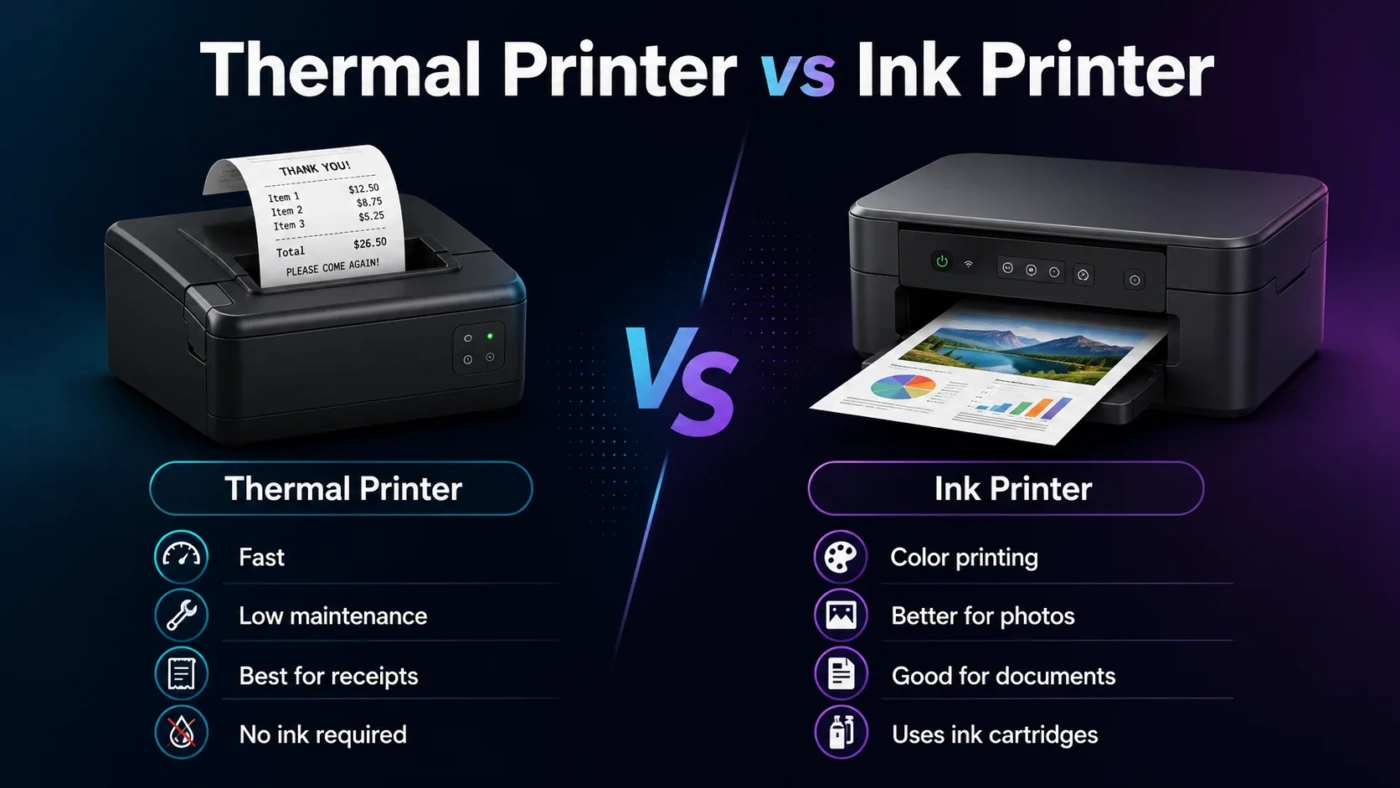
Choosing between a thermal printer and an ink printer is mostly about what you print, not which printer sounds more advanced. A thermal printer is usually the better choice for labels, receipts, barcodes, tickets, shipping stickers, and other repetitive black-and-white jobs. An ink printer, usually meaning an inkjet printer, is the better choice for home documents, schoolwork, color pages, graphics, photos, forms, and flexible everyday printing. If you want one simple rule: choose thermal for task-based label printing, and choose ink for general paper printing.
- Thermal Printer vs Ink Printer: The Plain Decision
- What Is a Thermal Printer?
- What Is an Ink Printer?
- Core Difference: Special-Purpose Heat Printing vs Flexible Ink Printing
- Print Quality: Text, Barcodes, Photos, and Color
- Thermal Print Quality
- Ink Print Quality
- Speed and Daily Workflow
- Cost and Value: Printer Price Is Not the Whole Story
- Maintenance: Which One Is Easier to Live With?
- Print Durability: Fading, Smudging, and Storage
- Paper and Media Compatibility
- When Should You Choose a Thermal Printer?
- When Should You Choose an Ink Printer?
- Thermal Printer vs Ink Printer for Common Situations
- Big Misunderstandings About Thermal and Ink Printers
- “Thermal Printers Are Always Cheaper”
- “Ink Printers Are Only for Photos”
- “All Thermal Prints Fade Quickly”
- “An Ink Printer Can Easily Replace a Label Printer”
- “A Thermal Printer Can Replace a Home Printer”
- Which One Is Better for Small Business?
- Which One Is Better for Home Use?
- Which One Is Better for Shipping Labels?
- Which One Is Better for Photos?
- Which One Should You Choose?
- Final Buying Checklist
| Feature | Thermal Printer | Ink Printer |
|---|---|---|
| Best Use | Shipping labels, barcodes, receipts, tickets, name tags, warehouse labels, and point-of-sale printing | Documents, color pages, schoolwork, home office printing, graphics, photos, forms, and mixed paper tasks |
| Printing Method | Uses heat on special thermal paper or a ribbon, depending on printer type | Sprays tiny liquid ink droplets onto paper |
| Color Printing | Usually black only; some special models support limited color labels | Strong option for full-color printing, images, charts, and photos |
| Running Supplies | Needs thermal labels, receipt rolls, or ribbons; no ink cartridges for direct thermal models | Needs ink cartridges or bottled ink, plus suitable paper |
| Print Longevity | Direct thermal prints can fade with heat, sunlight, friction, or age; thermal transfer lasts longer | Can last well on suitable paper, especially with good ink and proper storage |
| Photo Quality | Not suitable for normal photo printing | Much better for photos, color detail, gradients, and image-heavy pages |
| Speed | Usually fast for labels and receipts | Varies by model; slower for high-quality color and photo printing |
| Maintenance | Low daily maintenance; printhead and roller still need occasional cleaning | Ink can dry or clog if unused for long periods; printhead cleaning may use ink |
| Paper Flexibility | Limited to compatible rolls, labels, tags, or thermal media | Works with plain paper, photo paper, envelopes, cardstock, and specialty inkjet paper depending on model |
| Typical Buyer | Online sellers, warehouses, retail counters, restaurants, clinics, logistics teams, and barcode-heavy workflows | Students, families, home offices, small offices, creative users, and anyone who prints mixed documents |
Thermal Printer vs Ink Printer: The Plain Decision
Pick a thermal printer if your printing is narrow and repetitive: labels, receipts, barcodes, shipping tags, shelf labels, or tickets. It is built for speed, low mess, and simple output. You do not deal with liquid ink, and you do not need to worry about color cartridges running low before an order batch.
Pick an ink printer if you need flexibility. It handles normal letter or A4 documents, color charts, homework, invoices, forms, printable templates, presentations, envelopes, and photos. It is the safer all-purpose choice for a home, classroom, or small office where print jobs change from day to day.
The tricky part is that both can look affordable at first. A small thermal label printer may cost less than many inkjet printers, but it only prints on compatible label rolls or thermal media. A budget ink printer may look cheap, but ink costs and occasional maintenance matter over time. The better choice depends on the job you repeat most often.
What Is a Thermal Printer?
A thermal printer creates marks using heat. It does not work like a normal inkjet printer, because it does not spray liquid ink onto paper. Instead, the printhead applies controlled heat to a compatible surface.
There are two common thermal printing types:
- Direct Thermal: The printer heats special heat-sensitive paper or labels. The heated areas turn dark. This is common for receipts, shipping labels, visitor badges, and short-life barcode labels.
- Thermal Transfer: The printer heats a ribbon, and the ribbon transfers the image onto the label or tag. This is better for longer-lasting labels, product identification, asset tags, and labels that may face handling, rubbing, or storage.
For most home users and online sellers, “thermal printer” usually means a compact direct thermal label printer. It prints 4 x 6 shipping labels, address labels, SKU labels, or barcode labels without ink cartridges. For retail and logistics, larger thermal printers may support different label widths, higher duty cycles, network connections, and thermal transfer ribbons.
What Is an Ink Printer?
An ink printer usually means an inkjet printer. It prints by placing tiny droplets of liquid ink onto paper. The printer combines cyan, magenta, yellow, and black inks to produce text, graphics, and full-color images.
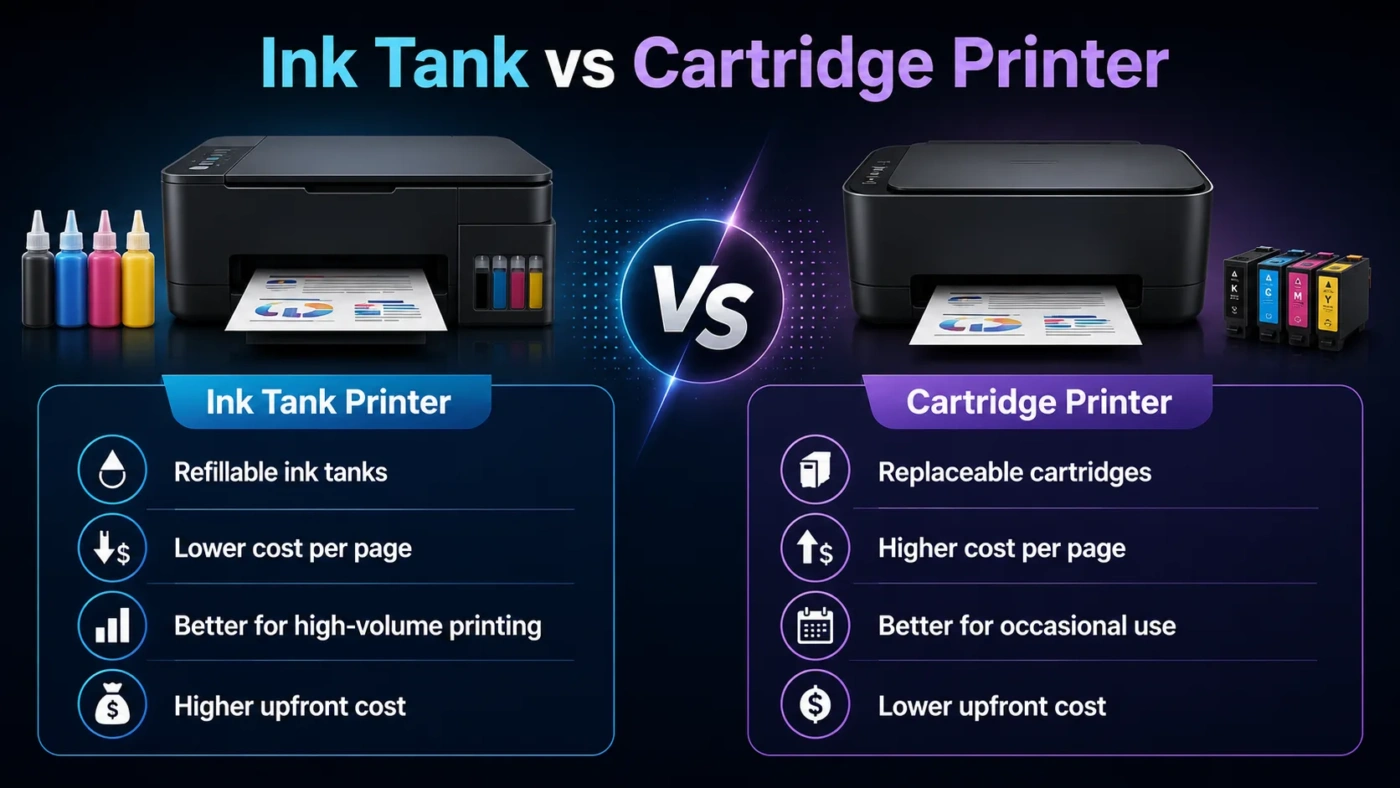
Ink printers come in several forms. Cartridge-based models use replaceable ink cartridges. Tank-style models use refillable ink bottles and often cost more upfront, but they can lower the cost per page for people who print often. Photo-focused ink printers may use extra ink colors to improve skin tones, shadows, gradients, and color transitions.
This makes ink printers much more flexible than thermal printers. They can print a black-and-white form one minute and a color school project the next. That flexibility is exactly why ink printers remain common in homes, small offices, and creative workspaces.
Core Difference: Special-Purpose Heat Printing vs Flexible Ink Printing
The main difference is simple: a thermal printer is usually a special-purpose output tool, while an ink printer is a general-purpose paper printer.
A thermal printer is excellent when the page format is predictable. A shipping label has a fixed size. A receipt is narrow. A barcode label needs sharp edges and quick scanning. These jobs reward speed, consistency, and low handling effort.
An ink printer is better when the content changes. You may need a two-page document, a color map, a photo, a return form, a craft template, a presentation handout, or a signed PDF. Thermal printers are not designed for that kind of variety.
Print Quality: Text, Barcodes, Photos, and Color
Thermal Print Quality
Thermal printers are strong for black text, barcodes, QR codes, receipts, and labels. Their output can be clean and easy to scan, especially when the printer resolution and label material match the job. For warehouse labels, shipping labels, and retail tags, this is often exactly what you need.
They are weak for photos and full-color documents. Even when a thermal printer supports special color media, it is not a normal replacement for an ink printer. A thermal label printer is not the printer you choose for family photos, marketing handouts, color worksheets, or image-heavy documents.
Ink Print Quality
Ink printers handle a wider visual range. They can print sharp text, colored charts, graphics, illustrations, and photos. On the right paper, a good ink printer can produce smooth gradients and rich color detail that a basic thermal printer cannot match.
There is one catch: ink printer quality depends heavily on the printer, ink type, paper type, and settings. Plain office paper can make colors look dull or slightly soft. Photo paper or coated inkjet paper can make the same printer look much better. That is why ink printers are flexible, but not always effortless.
Speed and Daily Workflow
Thermal printers usually feel faster in label-heavy work because they remove several small delays. There is no ink-drying time, no tray full of letter paper, and no cutting labels by hand. You print the label, peel it, and apply it. For shipping, retail, inventory, and front-desk work, that speed can matter more than print beauty.
Ink printers are slower when printing high-quality color pages or photos. They may also pause for printhead checks, cleaning cycles, paper loading, or duplex handling. For occasional documents, this is rarely a problem. For hundreds of labels per week, it becomes annoying.
Ask yourself a practical question: are you printing many small identical-format items or many different kinds of pages? Thermal wins the first case. Ink wins the second.
Cost and Value: Printer Price Is Not the Whole Story
Thermal printers can be very cost-friendly for labels because direct thermal models do not need ink cartridges. You still need compatible label rolls or receipt paper, and those supplies vary in quality. Cheaper labels may not stick well, scan well, or last as long as expected.
Ink printers often have a different cost pattern. Some cartridge models are cheap to buy but more expensive to refill. Tank-style ink printers usually cost more upfront, often around the low-to-mid hundreds of dollars depending on model and market, but they can be better for users who print many pages. For light users, the main issue is not only cost. Ink can dry, nozzles can clog, and cleaning cycles can use ink.
Value depends on print volume:
- Low-volume labels: A small thermal printer may be convenient, but check label roll prices first.
- High-volume labels: Thermal usually gives better workflow value.
- Low-volume mixed printing: Ink is more useful if you need color or normal documents.
- High-volume documents: A refillable ink tank printer may offer better long-term value than a basic cartridge printer.
Maintenance: Which One Is Easier to Live With?
A direct thermal printer has fewer consumable parts than an ink printer. There are no ink cartridges to replace, no liquid ink to dry in the nozzles, and no color alignment issues in the usual label-printing workflow. You may still need to clean the printhead, remove label adhesive buildup, check rollers, and use media that does not damage the printer.
An ink printer needs more attention, especially if it sits unused for weeks. Ink cartridges and printheads can dry out. Print quality may show streaks or missing lines. The printer may need a nozzle check, head cleaning, or alignment. This does not make ink printers bad; it simply means they prefer regular use.
If you print once every two months, an ink printer may frustrate you. If you print a few pages every week, it is easier to keep it healthy. Thermal printers are more forgiving for stop-and-start label printing, as long as the labels are stored properly.
Print Durability: Fading, Smudging, and Storage
Direct thermal labels can fade when exposed to heat, sunlight, oils, friction, or long storage. That is why they are fine for shipping labels and receipts, but not ideal for labels that must stay readable for years. A box label that only needs to survive a delivery trip is different from an asset tag on equipment.
Thermal transfer printing improves durability because it uses a ribbon. It can be a better fit for product labels, inventory labels, outdoor labels, freezer labels, asset tags, and compliance-style labels where readability must last longer.
Ink printer output depends on ink and paper. Some ink prints can smear if handled too soon or printed on unsuitable paper. On good paper, especially with suitable pigment ink, documents can be long-lasting. For photos, storage away from direct sunlight and moisture matters.
Paper and Media Compatibility
Thermal printers are picky by design. They need compatible media: thermal labels, receipt rolls, tags, wristbands, or transfer ribbons. This is not a flaw if you print the same thing every day. It is a limitation if you suddenly need to print a full-page letter, a school assignment, or a color chart.
Ink printers are far more flexible. Depending on the model, they can handle plain paper, photo paper, envelopes, labels, sticker paper, cardstock, and specialty craft paper. Still, the phrase “depending on the model” matters. Not every ink printer handles thick paper well, and not every ink printer is good for borderless photos.
When Should You Choose a Thermal Printer?
Choose a thermal printer if your printing needs are narrow, repeated, and label-based. It is a practical choice when the printer has one clear job and you want that job done quickly.
- You run an online shop and print shipping labels often.
- You need barcode labels for inventory, shelves, boxes, or product tracking.
- You print receipts, tickets, visitor passes, name badges, or order slips.
- You want fewer ink-related maintenance issues.
- You print mostly black text, codes, and simple graphics.
- You care more about speed and label workflow than color output.
- You already know the exact label size you need.
For e-commerce sellers, a thermal printer can feel like a small upgrade that removes daily friction. No taping paper labels. No cutting. No waiting for ink to dry. It is not glamorous, but it makes the repetitive work cleaner.
When Should You Choose an Ink Printer?
Choose an ink printer if you need one printer for many different tasks. It is the better fit when your printing is unpredictable or when color matters.
- You print school assignments, forms, invoices, letters, and everyday documents.
- You need color charts, graphics, diagrams, or presentation pages.
- You occasionally print photos or image-heavy pages.
- You need full-size paper printing, such as Letter or A4.
- You want scanner and copier features in an all-in-one model.
- You print on different paper types.
- You need a family or home office printer, not a label-only machine.
An ink printer is also the better choice if you do not know exactly what you will print next month. That uncertainty matters. A thermal printer is excellent inside its lane, but it cannot replace a normal printer for most households.
Thermal Printer vs Ink Printer for Common Situations
| Situation | Better Choice | Why |
|---|---|---|
| Shipping labels for online orders | Thermal Printer | Fast, clean, label-ready, and does not need ink cartridges |
| Home documents and schoolwork | Ink Printer | Handles normal paper sizes, text, forms, and color when needed |
| Photo printing | Ink Printer | Better color, gradients, and paper choices for image output |
| Receipt printing | Thermal Printer | Designed for narrow roll paper and fast point-of-sale output |
| Inventory barcodes | Thermal Printer | Sharp barcode output and label formats suit scanning workflows |
| Mixed home office use | Ink Printer | More flexible for letters, reports, charts, and occasional color printing |
| Long-lasting product labels | Thermal Transfer Printer | More durable than direct thermal for labels that must stay readable |
| Rare, occasional color printing | Ink Printer, with caution | Color is available, but long idle periods can cause ink maintenance issues |
Big Misunderstandings About Thermal and Ink Printers
“Thermal Printers Are Always Cheaper”
Not always. A direct thermal printer can save money on ink, but you still buy compatible labels or rolls. Some label sizes and adhesive types cost more than people expect. Thermal transfer printers also need ribbons. The cost is often worth it for label-heavy work, but it is not automatically cheaper for every user.
“Ink Printers Are Only for Photos”
No. Ink printers are also good for everyday documents, color forms, worksheets, charts, and home office paperwork. Photo printing is one of their strengths, but flexibility is the real reason many people buy them.
“All Thermal Prints Fade Quickly”
This depends on the thermal method and storage conditions. Direct thermal prints can fade faster when exposed to heat, light, oils, or friction. Thermal transfer prints can last much longer because the image comes from a ribbon. For temporary shipping labels, direct thermal is usually fine. For long-term identification, thermal transfer is safer.
“An Ink Printer Can Easily Replace a Label Printer”
Sometimes, but not always. You can print labels on an ink printer using label sheets. That works for occasional use. But if you print many shipping labels or barcode labels, sheet labels create extra cutting, peeling, alignment, and waste. A thermal label printer is much smoother for repeated label jobs.
“A Thermal Printer Can Replace a Home Printer”
For most people, no. A thermal label printer cannot replace a normal printer for full-size documents, color pages, school projects, photos, or forms. It is better to see it as a dedicated tool, not a universal printer.
Which One Is Better for Small Business?
For small businesses, the better choice depends on the daily workflow. A small online store that ships packages every day should strongly consider a thermal label printer. It saves time, keeps labels tidy, and avoids ink surprises during busy order periods.
A small office that prints proposals, invoices, menus, color pages, client forms, or staff documents will usually need an ink printer instead. If scanning and copying matter, an all-in-one ink printer adds more value than a label-only thermal printer.
Some businesses need both. That is common and reasonable. Use the thermal printer for labels and receipts. Use the ink printer for documents, color pages, and office paperwork. The two devices solve different problems.
Which One Is Better for Home Use?
For normal home use, an ink printer is usually the better first printer. It can print school documents, return forms, recipes, coloring pages, photos, labels on sheets, and basic office paperwork. A thermal printer is too limited as the only printer in most homes.
There are exceptions. If you sell items online from home and mostly need shipping labels, a thermal printer may be the better first purchase for that specific workflow. But if the household also needs school and document printing, an ink printer still makes sense.
Which One Is Better for Shipping Labels?
A thermal printer is the better choice for shipping labels. It prints directly onto label rolls, usually in common shipping sizes such as 4 x 6 inches. The workflow is cleaner than printing labels on full sheets, cutting them out, and taping them onto packages.
An ink printer can print shipping labels, but it is better for occasional use. If you ship one package now and then, it may be enough. If you ship often, thermal printing is easier to justify.
Which One Is Better for Photos?
An ink printer is the clear choice for photos. Thermal printers are not designed for normal photo printing. Ink printers can reproduce color, shading, gradients, and image detail, especially on photo paper. A photo-focused ink printer with the right paper can produce much better results than a basic office model.
If photo quality matters, do not choose a printer only by price. Look at ink system, supported paper types, borderless printing, color handling, and replacement ink cost. A cheap ink printer may print acceptable documents but disappointing photos.
Which One Should You Choose?
Choose a thermal printer if your main need is label printing. It is the better tool for shipping labels, barcodes, receipts, shelf labels, visitor badges, and other fast black-and-white outputs. It is cleaner than ink for these jobs and usually easier to maintain in a label-heavy workflow.
Choose an ink printer if you need a normal printer for many kinds of pages. It is better for documents, color printing, schoolwork, photos, forms, graphics, and home office use. It needs more care, but it gives you far more flexibility.
The most practical answer is this: thermal is better for labels; ink is better for pages. If your printing life is built around labels, thermal will feel right. If you need one printer that can handle whatever comes up, ink is the safer choice.
Final Buying Checklist
Before you buy, match the printer to the job instead of comparing only price tags.
- Do you print mostly labels, receipts, or barcodes? Choose thermal.
- Do you print normal documents and color pages? Choose ink.
- Do you need photos? Choose ink.
- Do labels need to last for years? Consider thermal transfer, not only direct thermal.
- Do you print rarely? Think carefully about ink drying and maintenance.
- Do you ship products often? A thermal label printer can save daily time.
- Do you need scanning and copying? Choose an all-in-one ink printer.
- Do you need both labels and documents every week? Buying both may be more sensible than forcing one printer to do the wrong job.
A printer is easiest to live with when it matches your repeated task. For labels, receipts, and barcodes, the thermal printer has the cleaner workflow. For flexible home and office printing, the ink printer gives you the range you need.