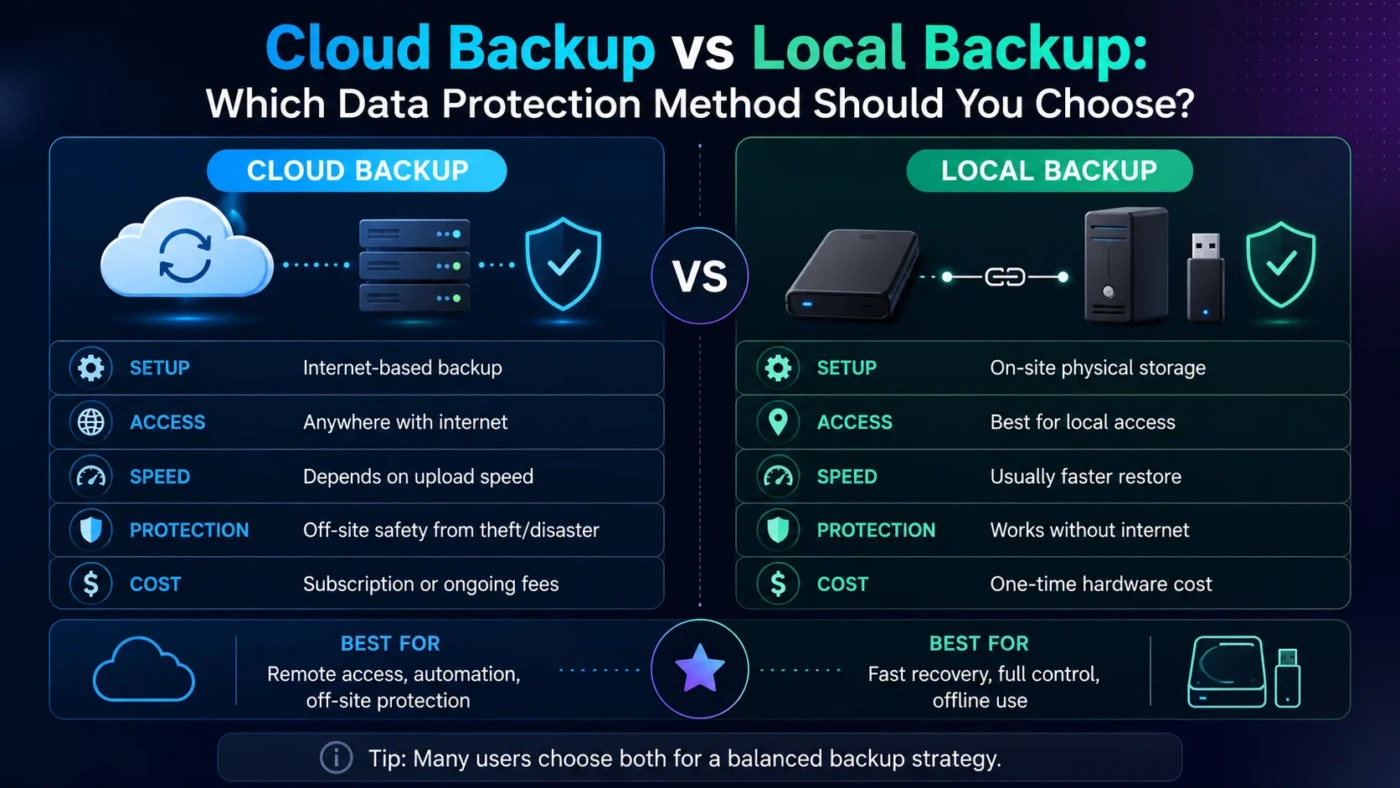
Cloud backup and local backup both protect your files, but they solve different problems. Cloud backup is usually better for off-site protection, automatic syncing, and recovery after theft, fire, or device loss. Local backup is usually better for fast restores, full control, and avoiding monthly storage fees. The best choice for most people is not only one of them: use cloud backup for off-site safety and local backup for fast recovery.
- Main Differences
- What Cloud Backup Offers
- What Local Backup Offers
- How The Backup Flow Changes
- Choose Cloud Backup If
- Choose Local Backup If
- Storage Cost And Long-Term Value
- Privacy, Security, And Account Safety
- Decision Tree
- Real Use Differences
- Daily Backup Habits
- Recovery After Device Failure
- Large Media Libraries
- Remote Work And Travel
- Common Misunderstandings
- Best Choice By User Type
- Glossary
- Best Overall Choice
- FAQ
- Is Cloud Backup Better Than Local Backup?
- Is Local Backup Safer Than Cloud Backup?
- Should I Use Both Cloud And Local Backup?
- What Is The 3-2-1 Backup Rule?
- Can Cloud Backup Replace An External Hard Drive?
- Compare More Options
| Feature | Cloud Backup | Local Backup |
|---|---|---|
| Storage Location | Remote servers managed by a provider | External drive, NAS, USB drive, or another local device |
| Best For | Off-site protection, automation, device loss, remote access | Fast recovery, large files, full control, one-time storage cost |
| Restore Speed | Depends on internet speed and file size | Usually faster because data is nearby |
| Internet Requirement | Required for backup and restore | Not required after setup |
| Protection From Theft Or Fire | Strong, because the copy is off-site | Weak if the backup stays beside the main device |
| Privacy Control | Depends on provider security, encryption, and account protection | More direct control, but the user must secure the device |
| Cost Pattern | Often monthly or yearly subscription | Usually one-time hardware cost, with replacement over time |
| Best Overall Use | Safer copy away from home or office | Fast copy close to the device |
Main Differences
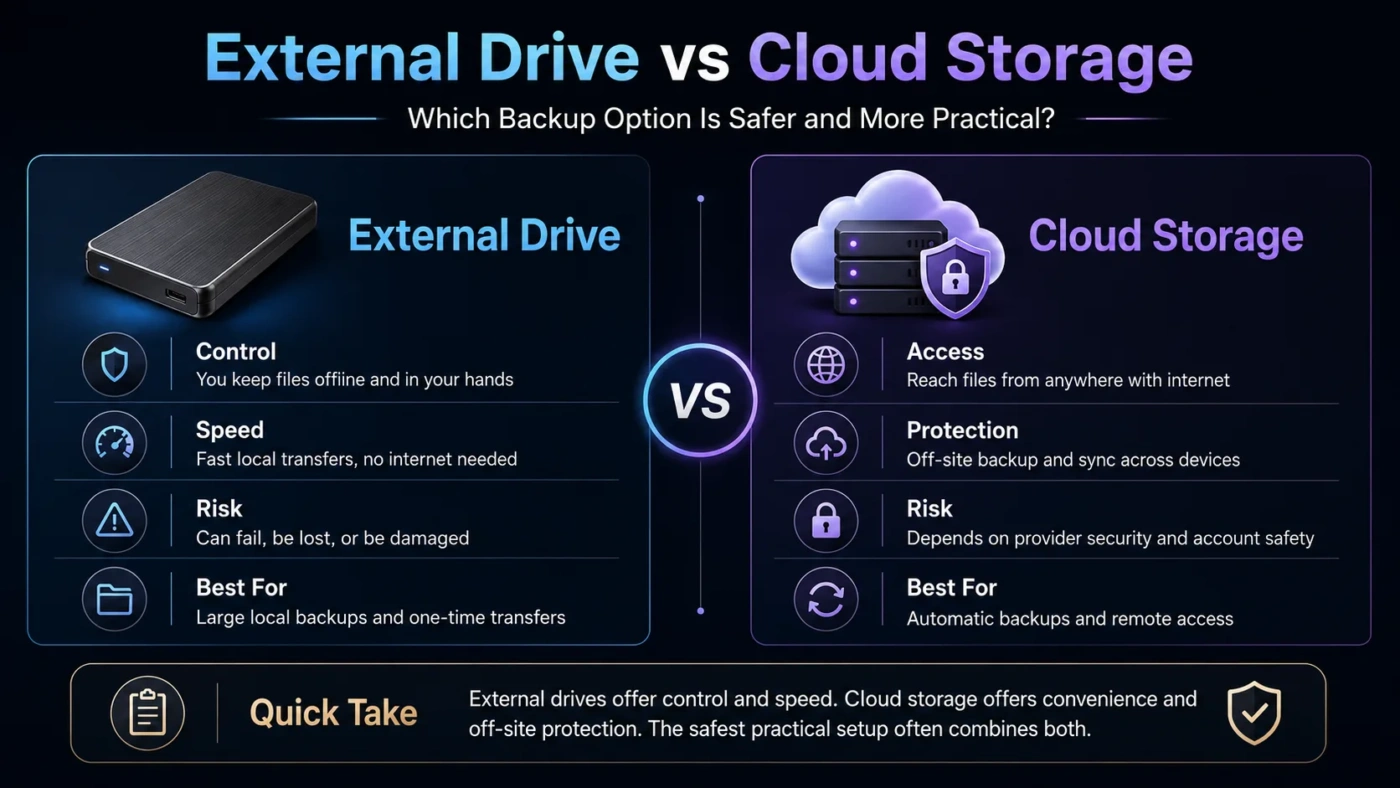
Cloud backup stores your data away from your main device. That makes it useful when a laptop is stolen, a hard drive fails, or a home office is damaged. Local backup stores your data on hardware you own or control, such as an external drive or network-attached storage. That makes it faster and easier to restore large folders, photos, videos, design files, or system images.
The real difference is not only where the data sits. It is also how recovery works. Cloud backup is safer against local disasters, but slower for large restores. Local backup is faster, but easier to lose if the backup device is kept in the same place as the computer.
What Cloud Backup Offers
Cloud backup sends copies of your files to remote storage over the internet. Many services can back up selected folders automatically, keep older versions of changed files, and help restore data to a new device. This makes cloud backup useful for laptops, remote workers, students, small teams, and anyone who moves between devices.
The main advantage is separation. If your computer and external drive are both in the same room, one accident can damage both. A cloud copy gives you a safer second location. The trade-off is that cloud backup depends on upload speed, download speed, storage limits, provider rules, and account security.
What Local Backup Offers
Local backup stores data on a device near you. This can be an external hard drive, SSD, USB drive, memory card, second internal drive, or NAS. Local backups are often faster than cloud restores because the data does not need to travel over the internet.
Local backup is also useful when you work with very large files. Video editors, photographers, architects, designers, and people with large offline archives may prefer local storage for speed and cost control. The weak point is location risk. A local drive can fail, be stolen, be dropped, or be damaged with the main computer.
How The Backup Flow Changes
Choose Cloud Backup If
Choose Local Backup If
Storage Cost And Long-Term Value
Cloud backup often uses a subscription model. The monthly cost may look small, but it can grow when storage needs increase. It is convenient when the service includes automatic backup, version history, ransomware recovery options, and easy restore tools.
Local backup usually starts with a hardware purchase. An external hard drive may cost less for large storage, while an SSD can cost more but feel faster and more durable for daily movement. NAS storage can be useful for homes or small offices, but it adds setup and maintenance work.
| Cost Area | Cloud Backup | Local Backup |
|---|---|---|
| Starting Cost | Often low if monthly billing is available | Higher upfront cost for drive or NAS hardware |
| Ongoing Cost | Subscription may continue as long as data is stored | No cloud subscription, but hardware may need replacement |
| Large Archives | Can become expensive or slow to upload | Often better value for many terabytes |
| Convenience Value | High for automatic off-site backup | High for fast access and restore speed |
Privacy, Security, And Account Safety
Cloud backup security depends on encryption, provider controls, password strength, account recovery settings, and two-factor authentication. A good cloud setup can be safe, but a weak password or compromised account can create risk.
Local backup privacy depends on physical control. If an external drive is not encrypted, anyone with the drive may be able to read the data. Local control is useful, but it also makes the owner responsible for safe storage, drive health, and encryption.
Decision Tree
Real Use Differences
Daily Backup Habits
Cloud backup is easier to forget about in a good way. Once configured, it can run in the background. Local backup needs more discipline unless the drive or NAS stays connected and the backup software runs on a schedule.
Recovery After Device Failure
Local backup is often better when a drive fails and you need to restore many files quickly. Cloud backup is better when the device and local storage are both unavailable.
Large Media Libraries
Local backup usually fits large photo, video, music, and project libraries better. Cloud backup can still work, but the first upload may take a long time and storage plans may cost more.
Remote Work And Travel
Cloud backup fits people who work from different places. If a laptop breaks while traveling, files can often be restored to another device. Local backup is less useful unless the backup drive travels with you, which also increases loss risk.
Common Misunderstandings
| Misunderstanding | Better Way To Think About It |
|---|---|
| Cloud sync is always backup | Sync can copy mistakes and deletions. Backup should allow recovery from older versions or deleted files. |
| An external drive is enough | It helps, but it may not protect you from theft, fire, flood, or accidental damage in the same location. |
| Cloud backup is always slow | Small daily changes can back up smoothly. Full restores and first uploads are where speed matters most. |
| Local backup has no security risk | Unencrypted drives can expose data if they are lost or stolen. |
Best Choice By User Type
| User Type | Better Fit | Reason |
|---|---|---|
| Student | Cloud backup | Automatic protection for documents, notes, and laptop loss. |
| Photographer Or Video Creator | Local backup plus cloud for selected files | Large files restore faster locally, while top projects still need off-site safety. |
| Small Business | Hybrid backup | Business files need both fast recovery and off-site protection. |
| Casual Home User | Cloud backup | Less manual work and good protection for photos, documents, and device loss. |
| Power User | Hybrid backup with versioning | A mix of speed, control, automation, and recovery options is safer. |
Glossary
Best Overall Choice
For most people, cloud backup is the better single choice if the goal is simple protection from device loss, theft, or damage. It works well for documents, photos, school work, office files, and everyday computer use.
Local backup is the better single choice if you handle large files, need fast restores, have poor internet, or want direct control over storage hardware.
The strongest practical answer is a hybrid setup: keep a local backup for speed and a cloud backup for off-site safety. This avoids the main weakness of each method and gives a better recovery path when something goes wrong.
FAQ
Is Cloud Backup Better Than Local Backup?
Cloud backup is better for off-site protection and automation. Local backup is better for speed, large restores, and direct control. The better option depends on what kind of data you need to protect.
Is Local Backup Safer Than Cloud Backup?
Local backup gives more physical control, but it is not automatically safer. A local drive can fail, be stolen, or be damaged. Cloud backup depends more on encryption, provider security, password strength, and account protection.
Should I Use Both Cloud And Local Backup?
Yes, using both is usually the best setup. Local backup helps with fast recovery, while cloud backup protects you if the local device is lost or damaged.
What Is The 3-2-1 Backup Rule?
The 3-2-1 rule means keeping three copies of important data, using two types of storage, with one copy stored off-site. A cloud backup and a local backup together can support this approach.
Can Cloud Backup Replace An External Hard Drive?
It can for many casual users, especially if the files are not huge. For large archives, creative work, or full system recovery, an external drive can still be useful.