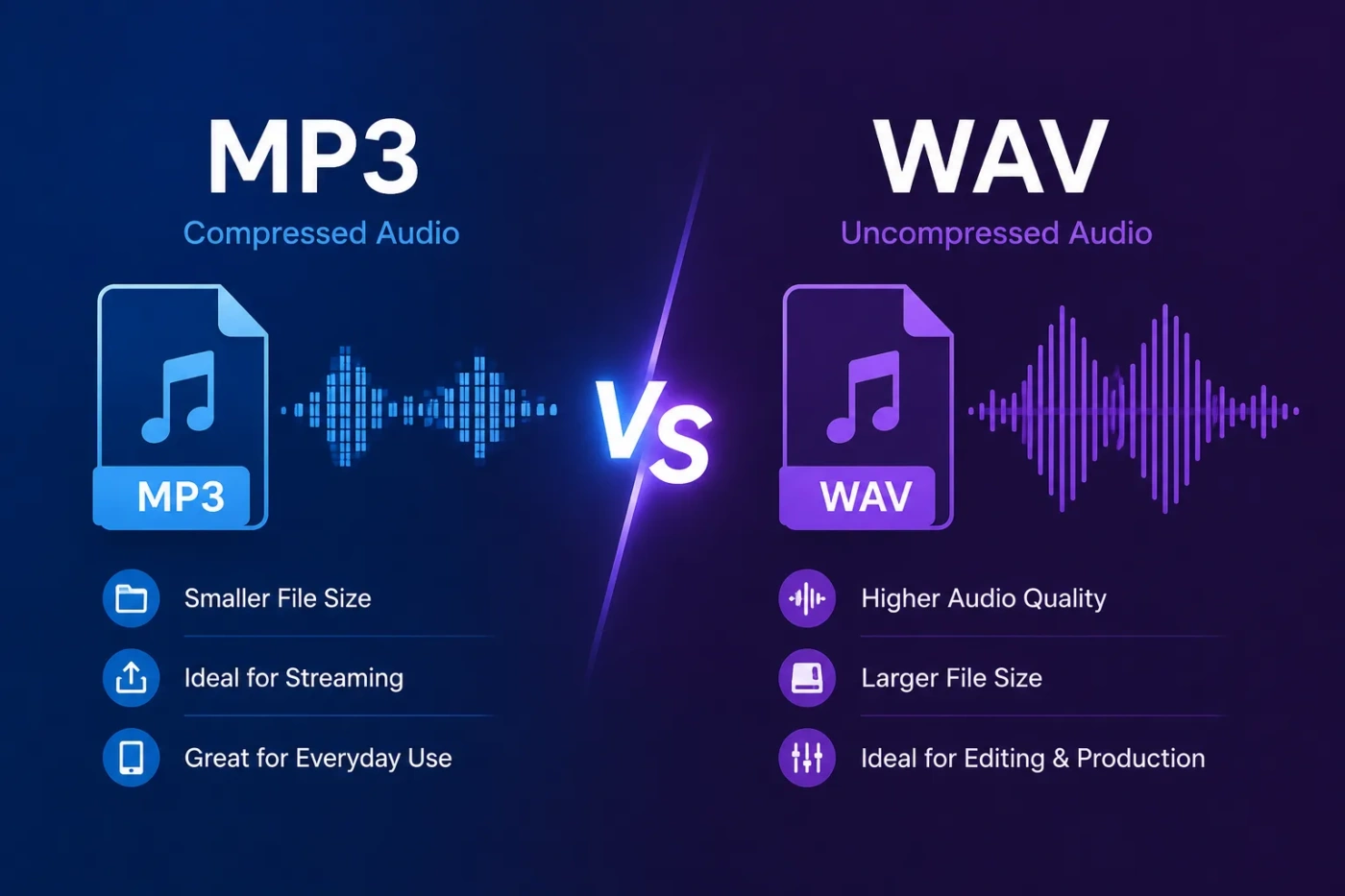
MP3 vs WAV is mainly a choice between convenience and production quality. MP3 is usually better when you need a small, easy-to-share audio file for listening, streaming, podcasts, email, websites, or mobile storage. WAV is usually better when you need clean source audio for recording, editing, mixing, mastering, archiving, video production, or any workflow where the audio may be processed again.
- MP3 vs WAV: The Main Difference
- What Is MP3?
- Where MP3 Works Best
- What Is WAV?
- Where WAV Works Best
- Sound Quality: Can You Hear The Difference?
- File Size And Storage: MP3 Is Much Easier To Manage
- Editing And Production: WAV Is The Safer Working Format
- Use WAV During Editing When You Need:
- Streaming, Uploading, And Sharing: MP3 Is More Practical
- MP3 vs WAV For Music
- Choose MP3 For Music If:
- Choose WAV For Music If:
- MP3 vs WAV For Podcasts And Voice Recording
- MP3 vs WAV For Video Projects
- Technical Differences That Matter
- Bitrate
- Sample Rate
- Bit Depth
- Lossy Compression
- PCM Audio
- Price And Value: Which One Costs Less Over Time?
- When You Should Choose MP3
- When You Should Choose WAV
- Big Misunderstandings About MP3 And WAV
- “WAV Always Sounds Better To Everyone”
- “MP3 Is Bad Quality”
- “Converting MP3 To WAV Improves The Audio”
- “WAV Is Always The Best Format For Uploading”
- “Higher File Size Always Means Better Listening Quality”
- Best Choice By User Type
- The Simple Decision Rule
| Feature | MP3 | WAV |
|---|---|---|
| Main Purpose | Small, portable audio for everyday playback and online delivery | High-quality source audio for recording, editing, and storage |
| Compression Type | Lossy compression | Usually uncompressed PCM audio |
| Audio Data | Removes parts of the audio signal to reduce file size | Keeps the recorded audio samples without lossy reduction |
| File Size | Much smaller | Much larger |
| Typical Size Example | A 3-minute song at 320 kbps is roughly 7 MB | A 3-minute stereo WAV at 16-bit / 44.1 kHz is roughly 30 MB |
| Sound Quality | Good to very good at higher bitrates, weaker at low bitrates | Better for preserving the original recording quality |
| Best For | Casual listening, podcasts, web audio, mobile storage, sharing | Recording, editing, mastering, sample libraries, video production, archiving |
| Editing | Not ideal for repeated editing and exporting | Better for editing because it avoids lossy generation loss |
| Streaming And Uploading | Faster to upload, download, and stream | Slower to upload and less practical for delivery |
| Compatibility | Works on almost every phone, browser, car stereo, app, and music player | Widely supported, but less convenient on some web and mobile workflows |
| Metadata | Good support for artist, album, cover art, and ID3 tags | Can store metadata, but support is less consistent across apps |
| Best Final Choice | Choose MP3 for delivery | Choose WAV for production |
MP3 vs WAV: The Main Difference
The main difference between MP3 and WAV is compression. MP3 is a compressed lossy audio format, while WAV is usually an uncompressed audio container that stores PCM audio. That one difference affects file size, sound quality, editing safety, upload speed, storage needs, and where each format makes sense.
MP3 was designed to make audio files much smaller. It does this by using psychoacoustic compression, which means the encoder reduces parts of the sound that are less likely to be noticed by many listeners. The result is a compact file that works well for playback, but it no longer contains every part of the original audio signal.
WAV takes a different path. A standard WAV file stores audio in a direct, sample-based form using settings such as sample rate, bit depth, and number of channels. That makes it larger, but also cleaner for professional workflows. If you are recording a vocal, editing a podcast, mixing music, syncing sound to video, or saving a master file, WAV is usually the safer choice.
What Is MP3?
MP3 stands for MPEG Audio Layer III. It is one of the most familiar digital audio formats because it balances acceptable listening quality with small file size. A single MP3 can be stored, copied, uploaded, streamed, and shared with very little friction.
An MP3 file uses bitrate to control quality and size. Common MP3 bitrates include 128 kbps, 192 kbps, 256 kbps, and 320 kbps. A higher bitrate keeps more audio detail, but the file becomes larger. A lower bitrate saves more space, but the sound can become thinner, duller, or more artificial, especially with music that has cymbals, reverb, layered instruments, or wide stereo detail.
Where MP3 Works Best
- Music files for phones, tablets, laptops, and car audio systems
- Podcast publishing and spoken-word audio delivery
- Website audio where fast loading matters
- Email attachments and quick file sharing
- Large personal music libraries where storage space matters
- Preview files, drafts, demos, and client review copies
MP3 is not the best recording or editing format, but it is very good as a final delivery format. For example, a podcaster may record and edit in WAV, then export the finished episode as MP3 for listeners.
What Is WAV?
WAV stands for Waveform Audio File Format. It is a container format commonly used for uncompressed PCM audio. In plain terms, WAV files often store the audio in a more direct form, without the lossy reduction used by MP3.
A WAV file is described by technical settings such as sample rate, bit depth, and channels. A common CD-quality WAV setting is 16-bit / 44.1 kHz stereo. Studio projects may use 24-bit / 48 kHz or higher, depending on the recording, video, or production workflow.
Where WAV Works Best
- Voice recording before editing or noise reduction
- Music production, mixing, and mastering
- Sound design, samples, loops, and instrument libraries
- Video editing and post-production
- Archiving original recordings
- Any workflow where the file may be processed more than once
WAV files are larger, but that size has a purpose. They give editing software more complete audio data to work with, which helps when applying EQ, compression, fades, pitch correction, restoration tools, or mastering effects.
Sound Quality: Can You Hear The Difference?
You may not always hear a clear difference between a high-bitrate MP3 and a WAV file during casual listening. With good encoding, a 256 kbps or 320 kbps MP3 can sound close to the source for many people, especially through phone speakers, Bluetooth earbuds, car speakers, or background listening setups.
The difference becomes easier to notice when the MP3 uses a low bitrate, when the music has delicate high-frequency details, or when the file is played through accurate headphones or studio monitors. Cymbals, room ambience, reverb tails, stereo width, and dense mixes can reveal compression artifacts more clearly.
The more practical point is this: WAV is not only about what you hear immediately. It is also about keeping a better source file before editing, processing, converting, or archiving. MP3 can be fine for listening, but WAV is safer before the final export.
File Size And Storage: MP3 Is Much Easier To Manage
File size is where MP3 wins clearly. A WAV file stores much more audio data, so it can take up several times more space than an MP3 version of the same track.
| Format Setting | Approximate Size | Practical Meaning |
|---|---|---|
| MP3 128 kbps | About 3 MB | Small, useful for speech, drafts, and low-bandwidth delivery |
| MP3 320 kbps | About 7 MB | Better MP3 quality while staying compact |
| WAV 16-bit / 44.1 kHz | About 30 MB | Better for editing and archiving, but heavier to store |
| WAV 24-bit / 48 kHz | Often larger than 30 MB | Common in recording and video workflows |
If you store thousands of songs, MP3 saves a lot of space. If you store source recordings, studio sessions, or masters, WAV is worth the extra storage. For creators, a practical setup is simple: keep WAV files as your working or archive copies, then export MP3 files for distribution.
Editing And Production: WAV Is The Safer Working Format
Editing is one of the clearest reasons to choose WAV. When you edit an MP3 and export it again as MP3, the file can lose more quality because it goes through lossy encoding again. This is often called generation loss.
WAV avoids that problem during the working stage. It gives your digital audio workstation, video editor, or podcast editor cleaner material to process. That matters when you apply noise reduction, normalize loudness, remove mouth clicks, adjust EQ, compress vocals, cut breaths, or master music.
Use WAV During Editing When You Need:
- Cleaner source files for audio repair
- Better results after EQ, compression, and limiting
- Accurate waveform editing
- Reliable sync in video projects
- High-quality exports for clients, labels, libraries, or archives
MP3 can still be useful in production, but mostly as a preview or delivery file. For the actual work, WAV is usually the better format.
Streaming, Uploading, And Sharing: MP3 Is More Practical
MP3 is easier when speed and compatibility matter. It uploads faster, downloads faster, uses less bandwidth, and plays on almost every device. That makes it a strong choice for web pages, podcast feeds, online courses, voice notes, music previews, and shared audio links.
WAV can be too large for simple delivery. A long WAV podcast episode, interview, audiobook chapter, or music set can become heavy to upload and slow to stream. Some platforms may also convert it after upload, which means the listener may not receive the original WAV quality anyway.
For public delivery, MP3 often gives the better user experience. For private production, WAV gives the better source quality.
MP3 vs WAV For Music
For music listening, MP3 is usually enough when the bitrate is high and the playback setup is ordinary. A 320 kbps MP3 can sound very close to WAV for many listeners. It also saves space, works well in playlists, and supports common metadata such as artist name, album title, track number, and cover art.
For music production, WAV is the better choice. Record vocals, instruments, samples, and final masters as WAV when quality matters. After the track is mixed and mastered, you can export an MP3 version for sharing or online publishing.
Choose MP3 For Music If:
- You only need a listening copy
- You want smaller files for a phone or laptop
- You are making a playlist or music library
- You are sending a quick demo
- You need broad device support
Choose WAV For Music If:
- You are recording vocals or instruments
- You are mixing or mastering
- You are sending files to a producer, engineer, or video editor
- You are building a sample pack or loop library
- You want a clean archive copy
MP3 vs WAV For Podcasts And Voice Recording
For podcast recording and editing, WAV is usually better. Voice recordings often need cleanup: noise reduction, loudness adjustment, EQ, compression, de-essing, breath control, and edits. WAV gives the editor a cleaner source.
For podcast publishing, MP3 is usually better. Listeners want fast downloads, smooth streaming, and broad app support. A well-encoded MP3 is normally the right final format for podcast delivery.
A smart podcast workflow looks like this:
- Record in WAV.
- Edit and clean the WAV file.
- Save a WAV master for backup.
- Export an MP3 for publishing.
This gives you the quality benefits of WAV and the delivery benefits of MP3.
MP3 vs WAV For Video Projects
Video editors usually prefer WAV during production because it is easier to sync, edit, process, and export cleanly. WAV is common in film, YouTube production, interviews, courses, ads, and social video workflows before final rendering.
MP3 can work for rough drafts, background references, or quick previews, but it is not ideal as the main production audio. If the audio will be mixed with dialogue, music, sound effects, and loudness targets, WAV is the better starting point.
After the video is exported, the platform or video file may use another audio codec. That does not remove the value of using WAV during editing. Starting with better source audio helps the final result survive later compression.
Technical Differences That Matter
Bitrate
Bitrate measures how much data is used per second of audio. MP3 quality depends heavily on bitrate. A 128 kbps MP3 is much smaller but may sound more compressed. A 320 kbps MP3 uses more data and usually sounds better.
Sample Rate
Sample rate describes how many times per second the audio is sampled. Common settings include 44.1 kHz for music and 48 kHz for video. WAV files make sample rate easy to preserve in production workflows.
Bit Depth
Bit depth affects dynamic range and editing headroom. Common WAV settings include 16-bit and 24-bit. Many recording workflows use 24-bit WAV because it gives more room for editing and level adjustment.
Lossy Compression
MP3 uses lossy compression, which means some audio information is permanently removed. This is not always a problem for listening, but it matters when the file needs to be edited, converted, or preserved.
PCM Audio
WAV commonly stores PCM audio. PCM is a direct digital representation of the sound samples, which is one reason WAV is widely used in recording and editing software.
Price And Value: Which One Costs Less Over Time?
MP3 can reduce storage and bandwidth costs because the files are smaller. If you run a website, store a large audio library, publish podcasts, send many files, or support mobile listeners, MP3 can be the better value for delivery.
WAV can cost more in storage space, cloud backup, and transfer time. Still, it can save work later because you keep a better original file. For creators, losing the original WAV recording can be more expensive than storing it. You can always make an MP3 from a WAV file, but you cannot fully rebuild the original WAV quality from an MP3.
Value rule: use WAV when the file is a source, master, or archive. Use MP3 when the file is a copy for listening, sharing, or publishing.
When You Should Choose MP3
Choose MP3 when your main goal is convenience. It is the better option when the listener needs quick access and the file does not need more editing.
- Choose MP3 for everyday listening because it saves space and works almost everywhere.
- Choose MP3 for podcast delivery because it streams smoothly and downloads quickly.
- Choose MP3 for websites because lighter audio files improve loading and playback.
- Choose MP3 for email and messaging because WAV files can be too large.
- Choose MP3 for previews when you only need someone to review the content, not edit it.
For better MP3 quality, use a higher bitrate such as 256 kbps or 320 kbps for music. For speech, lower bitrates can work, especially for mono voice recordings, but avoid going too low if clarity matters.
When You Should Choose WAV
Choose WAV when your main goal is preserving audio quality before delivery. It is the better option when the file will be edited, processed, mastered, synced, or archived.
- Choose WAV for recording because it keeps a cleaner source file.
- Choose WAV for editing because it avoids extra lossy damage during production.
- Choose WAV for mastering because it preserves more detail for final processing.
- Choose WAV for video projects because it is reliable in editing timelines.
- Choose WAV for archiving because it is a better long-term source copy.
WAV is also useful when working with clients, studios, editors, or platforms that request uncompressed audio. When in doubt during production, keep a WAV version.
Big Misunderstandings About MP3 And WAV
“WAV Always Sounds Better To Everyone”
Not always. WAV preserves more audio data, but that does not mean every listener will hear a clear difference in every situation. Playback gear, listening environment, bitrate, encoder quality, and the type of audio all matter.
“MP3 Is Bad Quality”
MP3 is not automatically bad. A low-bitrate MP3 can sound rough, but a well-encoded high-bitrate MP3 can be very good for normal listening. The problem is using MP3 in the wrong place, such as recording, heavy editing, or archiving.
“Converting MP3 To WAV Improves The Audio”
Converting an MP3 to WAV does not restore the removed audio data. It only places the already-compressed sound into a larger WAV container. The file becomes bigger, but the lost detail does not come back.
“WAV Is Always The Best Format For Uploading”
Not always. WAV may be best as a source file, but MP3 is often better for final delivery. Many listeners do not need a large WAV file, and many platforms compress audio after upload anyway.
“Higher File Size Always Means Better Listening Quality”
File size alone does not tell the whole story. A clean recording, good mix, proper loudness, high-quality encoding, and suitable playback setup all affect the listening result.
Best Choice By User Type
| User Or Situation | Better Choice | Why It Fits |
|---|---|---|
| Casual Music Listener | MP3 | Smaller files, easy playback, strong compatibility |
| Music Producer | WAV | Better for recording, mixing, mastering, and exporting source files |
| Podcast Creator | WAV For Editing, MP3 For Publishing | WAV protects the source; MP3 is better for listeners |
| Video Editor | WAV | Cleaner for timeline editing, sync, and post-production |
| Website Owner | MP3 | Faster loading and easier streaming |
| Archivist | WAV | Better for preserving original recordings |
| Student Sending A Voice File | MP3 | Smaller and easier to send |
| Client Review Copy | MP3 | Easy to share, unless the client needs editable audio |
| Final Master Backup | WAV | Keeps a better-quality source for future use |
The Simple Decision Rule
Choose MP3 if the file is mainly for listening, sharing, uploading, streaming, or saving space. It is the practical choice for final delivery.
Choose WAV if the file is part of recording, editing, mixing, mastering, video production, or archiving. It is the safer choice for source quality.
The best workflow is often not MP3 or WAV only. Use both in the right order: record and edit in WAV, then export MP3 for delivery. That gives you clean production audio and a smaller file that is easier for listeners to use.