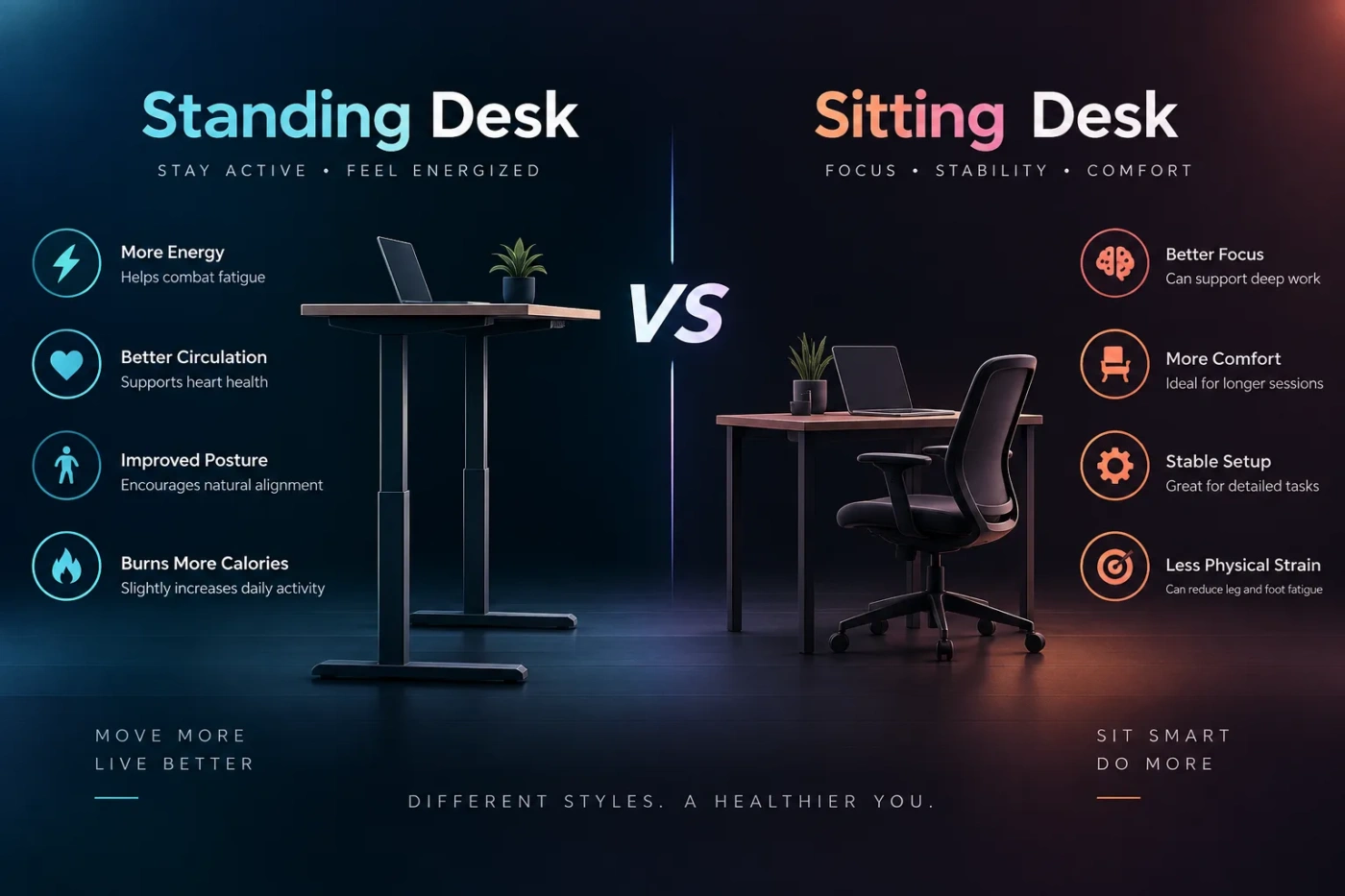
A standing desk earns its place by giving you another working posture, not by making eight hours on your feet healthier than eight hours in a chair. A well-set-up sitting desk can be comfortable for long computer sessions, while a standing setup can break up extended sitting and make movement easier. For most desk workers, the strongest arrangement is not permanent standing or permanent sitting: it is a workstation that lets you change position without disrupting your work.
- The Real Advantage of Standing Is the Ability to Stop Sitting
- Sitting Still Works Well for Tasks That Need Stability
- A Standing Desk Has to Fit You at Two Different Heights
- Standing Can Change How Different Tasks Feel
- Typing and Detailed Computer Work
- Calls, Meetings and Reading
- Precision Mouse or Creative Work
- The Chair Does Not Become Optional
- Desk Stability Matters More Once the Surface Starts Moving
- Who Actually Benefits From Paying for Height Adjustment?
- Fixed Standing Desks Are a Different Decision
- For Most Full-Day Desk Workers, Alternation Makes More Sense
The Real Advantage of Standing Is the Ability to Stop Sitting
A standing desk changes one part of the workstation equation: body position. It allows you to straighten the hips and knees, shift weight between your feet, step away from the keyboard more naturally, and spend less of the workday seated. That can be useful for someone whose normal routine involves several uninterrupted hours at a computer.
Standing itself is not a substitute for walking or exercise. Remaining almost motionless in front of a standing desk still involves very little physical activity. The useful change comes from replacing some sitting with standing and, ideally, adding short periods of actual movement.
This distinction also prevents a common mistake: buying a standing desk and then trying to work on your feet for the entire day. Long periods of stationary standing can produce foot, leg and lower-back fatigue of their own. A workstation that encourages position changes is more useful than one that simply replaces one fixed posture with another.
The posture trap: sitting all day and standing all day are both static routines. Changing position regularly is the more useful feature.
Sitting Still Works Well for Tasks That Need Stability
A conventional desk is not automatically an ergonomic problem. With an appropriate chair height, usable desk depth and correctly placed equipment, sitting can provide stable support for work that demands careful mouse control, sustained typing, drawing, editing or long periods of concentration.
The chair matters enormously. Your back should be supported, your feet should rest securely on the floor or a footrest, and the work surface should allow your shoulders to remain relaxed rather than raised. The keyboard and mouse need to sit where your elbows can stay close to your body and your wrists can remain relatively neutral.
Monitor placement matters as well. A screen that is too high, too low or too far to one side can create awkward neck positions regardless of whether you are sitting or standing. Changing desks does not correct a poorly positioned monitor.
For someone who already takes frequent walking breaks and has a comfortable workstation, replacing a conventional desk may produce less practical improvement than expected.
A Standing Desk Has to Fit You at Two Different Heights
Adjustable desks introduce an ergonomic requirement that fixed sitting desks do not: the workstation must work in more than one position.
At standing height, raising the desktop too far can push the shoulders upward while typing. Setting it too low may encourage leaning forward. Keyboard height should generally allow the elbows to stay near a comfortable working angle with the shoulders relaxed. The mouse should remain close to the keyboard instead of forcing the arm outward.
The monitor may also need independent adjustment. Someone who gets the keyboard height right but leaves the display too low can end up bending the neck forward every time the desk rises. A monitor arm can make this easier, particularly with larger displays or multiple monitors.
| Decision Point | Standing Desk | Sitting Desk |
|---|---|---|
| Changing posture | Easy with an adjustable model | Usually requires leaving the workstation |
| Long focused sessions | Useful in shorter standing periods | Stable and well suited to supported work |
| Equipment setup | Must remain comfortable across height changes | Only one working height must be configured |
| Floor space | Similar footprint, though frames can be heavier | Many compact and lightweight options |
| Purchase cost | Adjustable mechanisms usually add cost | Basic models are commonly less expensive |
| Movement opportunity | Makes switching positions easier | Relies more heavily on deliberate breaks |
Standing Can Change How Different Tasks Feel
Not every part of the workday benefits equally from the same posture.
Typing and Detailed Computer Work
Long typing sessions can work well in either position if the keyboard is correctly placed. Sitting provides back and lower-body support, which some people prefer during extended writing or coding. Standing can feel comfortable for shorter sessions, but leaning onto the desk as fatigue develops defeats much of the purpose of changing posture.
Calls, Meetings and Reading
These tasks are easier to perform while standing because they usually require less precise keyboard or mouse control. A phone call can also become an opportunity to walk rather than merely stand beside the desk.
Precision Mouse or Creative Work
Photo editing, CAD work, illustration and other tasks involving controlled pointer movement may feel steadier while seated. That does not rule out a standing desk. It simply makes alternating more useful: stand for email, reading and calls, then sit when physical stability helps the task.
The Chair Does Not Become Optional
An adjustable standing desk is often purchased with the idea that the chair will matter less. In practice, a good chair remains part of the setup because sitting is still useful.
That also affects cost. A height-adjustable desk does not necessarily replace the expense of a supportive chair, and some workstations benefit from additional equipment such as a monitor arm, cable management or an anti-fatigue mat. Electric desks also contain motors, controls and moving components that fixed desks do not.
A standard sitting desk has a simpler ownership profile. There is little mechanical complexity, plenty of inexpensive choice, and fewer concerns about lifting capacity, wobble at maximum height or cable length during adjustment.
For a limited budget, improving a poor chair, monitor position or keyboard setup may be more useful than putting most of the budget into an adjustable desk while keeping the rest of the workstation uncomfortable.
Desk Stability Matters More Once the Surface Starts Moving
Height-adjustable desks vary in how solid they feel when raised. A desk that seems stable while sitting may show more movement at standing height because the work surface is farther from the floor and the supporting columns are extended.
This becomes more noticeable with large monitors, monitor arms, heavy desktop computers or users who type forcefully. The issue is not that every standing desk wobbles; construction and installation differ. It is something worth checking before purchase rather than assuming that all adjustable frames behave alike.
Desktop size deserves similar attention. Raising the desk does not solve a shallow work surface. You still need enough depth to place the display at a comfortable viewing distance while keeping the keyboard and mouse within easy reach.
Who Actually Benefits From Paying for Height Adjustment?
A height-adjustable desk makes the strongest case for someone who works at a desk for many hours and knows that long sitting periods are difficult to interrupt. Changing from seated to standing work without closing applications, moving equipment or leaving the workstation removes some of the friction involved in changing posture.
The extra expense becomes harder to justify when desk use is brief. Someone who spends only an hour or two at the computer, moves frequently during the rest of the day and already has a comfortable seated setup may gain little from an electric lifting mechanism.
Fixed Standing Desks Are a Different Decision
A fixed standing-height desk should not be treated as equivalent to an adjustable sit-stand desk. It removes sitting from the workstation unless you add a tall chair or stool, and that can make extended computer work less flexible.
For specialized environments where people frequently arrive, perform a short task and leave, a fixed standing surface can make sense. Reception areas, workshops and shared workstations are examples. For an eight-hour computer workstation, permanent standing creates another form of prolonged static posture.
This is why the adjustable version is usually the more useful interpretation of a “standing desk” for office work. Its value comes from preserving both positions.
For Most Full-Day Desk Workers, Alternation Makes More Sense
A conventional sitting desk remains a sensible choice when budget is tight, the workstation is used only occasionally, or a supportive seated position is preferred for most tasks. It does not prevent a healthy work routine as long as sitting is regularly interrupted by movement.
A height-adjustable standing desk becomes more worthwhile as daily desk time grows and prolonged sitting becomes harder to avoid. It gives you another usable position without sacrificing the option to sit, and different tasks can be assigned to whichever posture feels more comfortable.
Do not buy one with the goal of standing from morning until evening. Buy it if being able to sit, stand and move throughout the workday is a feature you will actually use.