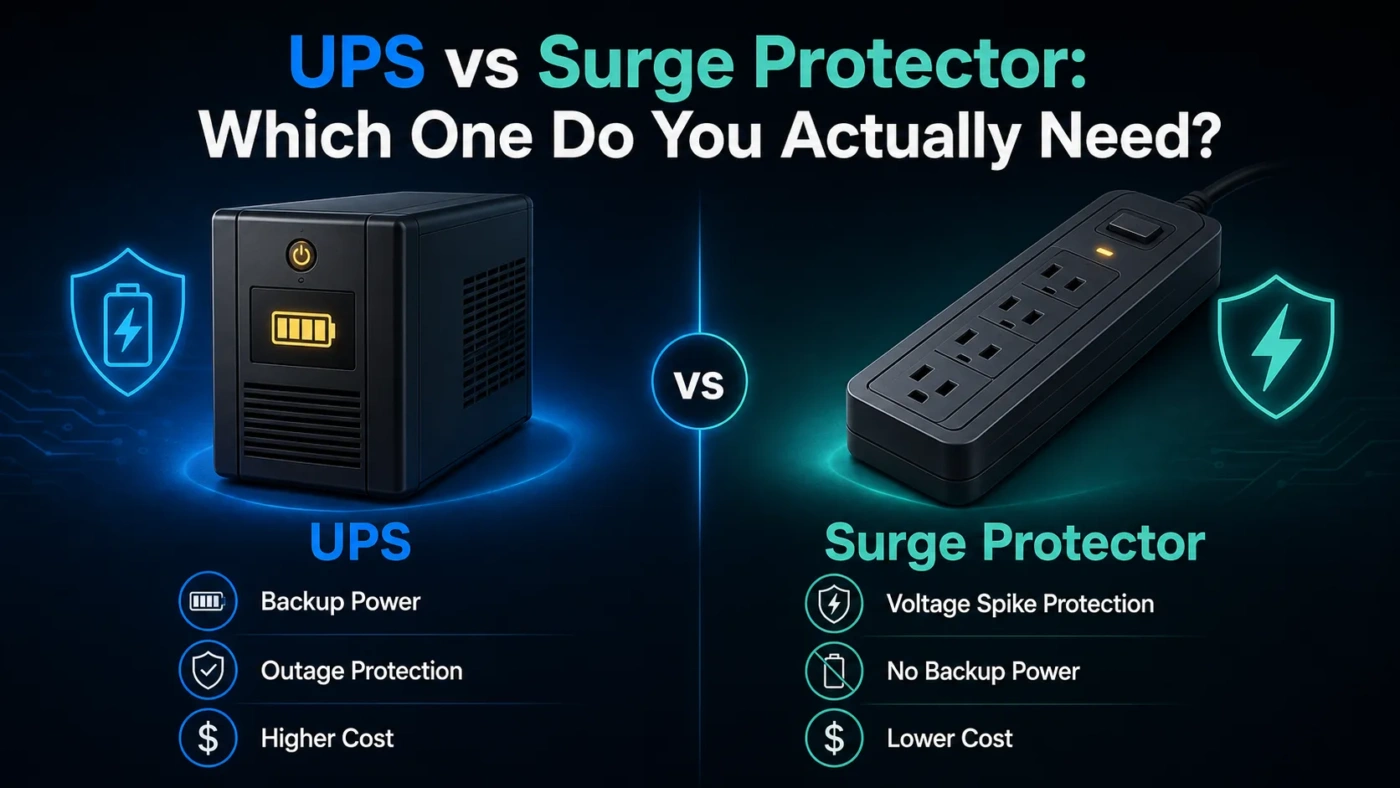
A UPS and a surge protector both protect electronics, but they solve different problems. Choose a UPS if power cuts, flickering lights, computer shutdowns, router downtime, or lost work are your main concern. Choose a surge protector if you mainly want low-cost protection from voltage spikes for everyday electronics. For a desktop PC, NAS, modem, router, security system, or home office setup, the best answer is often not one or the other: use a UPS for the devices that must stay on, and use surge protection for the rest.
- Main Differences
- What A UPS Offers
- What A Surge Protector Offers
- Where Each Option Fits Best
- Decision Tree
- UPS Scores Better For
- Surge Protector Scores Better For
- Choose A UPS If
- Choose A Surge Protector If
- Can A UPS Replace A Surge Protector?
- Real Use Differences
- During A Power Outage
- During A Voltage Spike
- During Brownouts And Flicker
- For Long Outages
- Price And Long-Term Value
- Common Misunderstandings
- A Power Strip Is Not Always A Surge Protector
- A UPS Is Not For Every Device
- More Outlets Does Not Mean More Protection
- A UPS Runtime Estimate Is Only An Estimate
- Terms To Know
- Best Choice By User Type
- What To Buy First
- Compare More Options
- FAQ
- Do I Need A UPS If I Already Have A Surge Protector?
- Do I Need A Surge Protector If I Already Have A UPS?
- Can I Plug A UPS Into A Surge Protector?
- Can I Plug A Surge Protector Into A UPS?
- How Big Should My UPS Be?
- Is A UPS Worth It For A Router?
- Is A Surge Protector Enough For A Gaming PC?
- Which One Should Most People Buy?
| Feature | UPS | Surge Protector |
|---|---|---|
| Main Purpose | Keeps devices running for a short time during an outage | Reduces damage risk from sudden voltage spikes |
| Battery Backup | Yes | No |
| Best For | Desktop PCs, routers, modems, NAS devices, small servers, home office gear | TVs, chargers, lamps, game consoles, speakers, general electronics |
| Power Outages | Gives time to save work, shut down, or stay online briefly | Does not keep anything powered |
| Voltage Spikes | Often includes surge suppression, but quality varies by model | Designed mainly for spike protection |
| Voltage Drops And Flicker | Better models can smooth short dips or switch to battery | Usually does not help |
| Setup | Needs correct watt/VA sizing and battery care | Simple plug-in setup |
| Maintenance | Battery may need replacement after a few years | Should be replaced after heavy surge events or when protection indicator fails |
| Typical Cost | Usually costs more | Usually cheaper |
| Best Simple Choice | Choose it when uptime or safe shutdown matters | Choose it when basic spike protection is enough |
Main Differences
The biggest difference is simple: a UPS has a battery, while a surge protector does not. A surge protector is mainly there to limit voltage spikes. A UPS is there to keep selected devices running when utility power fails, even if only for a few minutes.
That battery changes the use case. If your desktop computer turns off during an outage, a surge protector cannot help. If your Wi-Fi drops whenever the lights flicker, a surge protector cannot keep the router online. A UPS can give you time to save files, shut down cleanly, keep a modem and router running, or avoid a hard power cut on storage devices.
A surge protector still matters. Many electronics do not need battery backup. A TV, phone charger, printer, desk lamp, or speaker system may only need protection from spikes. For these devices, a good surge protector is often the more practical and affordable choice.
What A UPS Offers
A UPS, short for uninterruptible power supply, sits between the wall outlet and your electronics. It passes normal wall power through during regular use. When power fails or drops too low, the UPS switches to battery power. Depending on the model and the devices plugged into it, runtime may be only a few minutes or long enough to keep a router online for an extended outage.
The right UPS is not chosen by outlet count alone. The two ratings that matter most are watts and VA. Your connected devices must stay below the UPS output rating. Runtime also depends on load. A UPS that can run a router for a long time may run a gaming PC for only a short shutdown window.
For modern desktop PCs, active PFC power supplies, workstations, and sensitive electronics, a pure sine wave UPS is often the safer pick. Cheaper UPS models may use simulated sine wave output on battery, which can be fine for many devices but may not suit every power supply.
What A Surge Protector Offers
A surge protector is designed to reduce the effect of sudden voltage spikes. These spikes can come from utility switching, storms nearby, large motors turning on and off, or electrical faults. A plug-in surge protector is not a magic shield against every event, but it is a sensible layer for many everyday electronics.
When choosing one, look beyond the number of outlets. Useful details include safety certification, voltage protection rating or clamping behavior, joule rating, connected equipment policy terms if offered, and a visible protection indicator. A long cord and widely spaced outlets can also matter in real rooms.
Surge protectors age. Many use internal components that absorb repeated surge energy over time. If the protection light goes out, the unit is damaged, it feels hot, the plug is loose, or it has been through a serious electrical event, replacement is usually the smart move.
Where Each Option Fits Best
A UPS gives time to save work and shut down without data loss. For higher-end PCs, consider pure sine wave output.
Low power draw means longer runtime. This is one of the most practical UPS uses at home.
Battery backup is usually not needed unless the setup is part of a larger home media or recording system.
Unexpected shutdowns can interrupt file writes. A UPS helps storage devices shut down more safely.
A basic surge protector is usually enough. A UPS is rarely worth it for charging phones alone.
Laser printers can draw high startup power and are usually not a good match for UPS battery outlets.
Decision Tree
UPS Scores Better For
Surge Protector Scores Better For
Choose A UPS If
Choose a UPS if the device has work to protect. A desktop PC, workstation, network storage device, modem, router, security hub, or point-of-sale terminal can suffer more than inconvenience when power cuts out. Even a short outage can interrupt file transfers, corrupt unsaved work, disconnect a video call, or force equipment to restart at the worst time.
A UPS is also the better choice if your home or office has brief power dips. These are the annoying moments when lights blink, monitors restart, or your router takes several minutes to reconnect. A surge protector may sit there doing nothing during that kind of event, while a UPS can bridge the gap.
For a computer setup, size the UPS for the actual load: PC, monitor, router if needed, and maybe an external drive. Do not plug every device into the battery-backed outlets just because they are available. Put only the devices that need runtime on battery. Use surge-only outlets or a separate surge protector for less sensitive accessories.
Choose A Surge Protector If
Choose a surge protector if your main goal is affordable spike protection for devices that do not need backup power. This fits living room electronics, bedside chargers, speakers, lamps, cable boxes, streaming devices, and many basic office accessories.
A surge protector is also the better fit when you simply need more protected outlets. A UPS with enough capacity for every device in a room can become expensive, heavy, and unnecessary. If an outage would only turn the device off without causing lost work or data problems, battery backup may not add much value.
Still, avoid the cheapest unknown power strips for expensive electronics. A real surge protector should be safety listed, clearly rated, and physically well built. Loose outlets, warm plugs, damaged cords, and missing protection lights are not small details.
Can A UPS Replace A Surge Protector?
Sometimes, but not always. Many consumer UPS units include some surge suppression, so they can protect connected devices from common spikes while also offering battery backup. That does not mean every UPS is equal to a high-quality surge protector, and it does not mean it protects the whole home.
If you are protecting one computer desk, a good UPS may be enough for the PC, monitor, and network gear. If you are protecting several rooms, expensive home theater equipment, or a building with frequent electrical issues, you may want layered protection: proper grounding, panel-level surge protection installed by a qualified electrician, and plug-in protection where needed.
Real Use Differences
During A Power Outage
A surge protector turns off with everything else. A UPS switches to battery and starts using its stored energy. That may give you time to save a document, end a call, shut down a PC, or keep Wi-Fi alive. Runtime is not fixed; it depends on battery size and total power draw.
During A Voltage Spike
A surge protector is made for this job. A UPS may also include surge suppression, but the protection level depends on the model. For expensive electronics, check the product ratings instead of assuming all outlet strips and UPS units protect the same way.
During Brownouts And Flicker
A UPS has the advantage. Line-interactive models can often adjust voltage without immediately draining the battery, while standby models may switch to battery when input power falls outside a set range. A normal surge protector usually does not correct low voltage.
For Long Outages
Neither product is a whole-home generator. A UPS is usually meant for minutes, not hours, especially with computers or monitors attached. For long backup time, the load must be small, the battery must be sized for it, or a different backup power system may be needed.
Price And Long-Term Value
A surge protector is usually the better value for simple electronics because it costs less and needs no battery replacement. It is a practical layer for devices that can safely turn off during an outage.
A UPS costs more because it includes a battery, charging system, inverter, transfer circuitry, and often monitoring features. That extra cost is worth it when downtime has a real cost: lost files, interrupted work, router restarts, NAS errors, or security equipment going offline.
The long-term cost of a UPS includes battery replacement. Many small UPS batteries last a few years, though heat, frequent cycling, and load can shorten that life. If the battery can be replaced, the UPS may remain useful for longer. If the battery is not replaceable or costs nearly as much as a new unit, replacement planning matters.
Common Misunderstandings
A Power Strip Is Not Always A Surge Protector
Some power strips only add outlets. They may have a switch and a cord, but no real surge protection. Check the label and protection indicator.
A UPS Is Not For Every Device
Printers, heaters, refrigerators, and other high-draw equipment can overload a small UPS. Battery outlets should be reserved for suitable electronics.
More Outlets Does Not Mean More Protection
Outlet count is convenience. Protection depends on ratings, construction, certification, condition, and correct use.
A UPS Runtime Estimate Is Only An Estimate
Runtime changes with load, battery age, temperature, and model design. A high-power PC can drain a small UPS quickly.
Terms To Know
Best Choice By User Type
| User Type | Better Choice | Reason |
|---|---|---|
| Student With A Laptop | Surge Protector | The laptop already has a battery, so outlet surge protection is usually enough. |
| Desktop PC User | UPS | A desktop shuts off instantly without backup power. |
| Remote Worker | UPS | Keeping the router and computer stable can prevent lost calls and interrupted work. |
| TV And Console User | Surge Protector | Most entertainment setups need spike protection more than battery runtime. |
| NAS Or Home Server Owner | UPS | Storage devices benefit from clean shutdown time. |
| Budget Buyer | Surge Protector First | It covers the most common low-cost need, then a UPS can be added for the most sensitive devices. |
| Small Office | Both | Use UPS units for computers and networking, surge protection for general equipment. |
What To Buy First
If you only have basic electronics and outages are rare, buy a quality surge protector first. It is the simpler upgrade and gives useful protection for a low cost.
If you use a desktop PC, external storage, modem, router, or small server, buy a UPS first for those devices. Then use surge protectors for the rest of the room. This gives battery backup where it matters and avoids paying for backup power on devices that do not need it.
If you are unsure, start by asking one question: Would I care if this device turned off without warning? If yes, put it on a properly sized UPS. If no, a surge protector is probably the cleaner choice.
Compare More Options
FAQ
Do I Need A UPS If I Already Have A Surge Protector?
Yes, if you need battery backup. A surge protector may help with voltage spikes, but it cannot keep a computer, router, or storage device running when power goes out.
Do I Need A Surge Protector If I Already Have A UPS?
Maybe. Many UPS units include surge suppression for the devices plugged into them. For other electronics in the room, separate surge protectors can still make sense. For whole-home protection, a panel-level device installed by a qualified electrician is a different category.
Can I Plug A UPS Into A Surge Protector?
Usually, it is better to plug the UPS directly into a wall outlet. Many manufacturers warn against daisy-chaining power devices. Always follow the product manual.
Can I Plug A Surge Protector Into A UPS?
It is usually not recommended unless the UPS maker clearly allows it. It can create overload and protection issues. Use the UPS outlets as intended and avoid adding extra outlet strips to battery-backed outlets.
How Big Should My UPS Be?
Add up the wattage of the devices that must stay on, then choose a UPS with a watt rating above that load. Leave some headroom. If runtime matters, check runtime charts for the specific model because a high load drains the battery faster.
Is A UPS Worth It For A Router?
Often yes. Routers and modems use relatively little power, so a small UPS can keep internet service running during short outages if the internet provider line is still active.
Is A Surge Protector Enough For A Gaming PC?
A surge protector helps with spikes, but it does not prevent sudden shutdowns. For a gaming PC, a UPS is the better choice if outages, flicker, or lost sessions are a concern.
Which One Should Most People Buy?
Most people should use a surge protector for general electronics and a UPS only for devices that need backup power. For a home office, that usually means UPS for the computer and network gear, surge protectors for everything else.